
Samsung TV Sound Repair in Nairobi – No Sound, Distorted Audio, Low Volume, Crackling and Speaker Problems
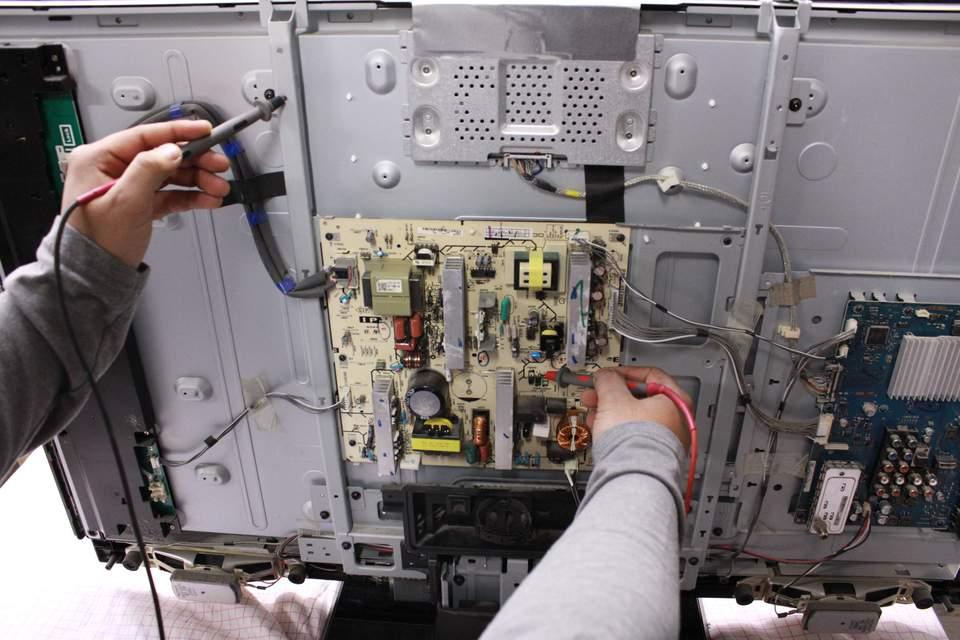
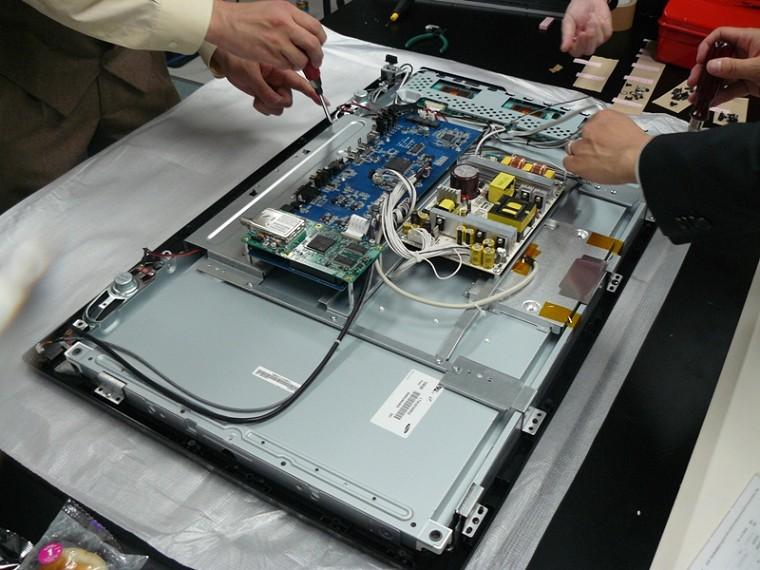
Samsung televisions are known for their excellent picture quality, Smart TV features, and advanced audio technology. However, a Samsung TV may develop sound problems even when the picture is working perfectly. You may experience a TV that has no sound, very low volume, distorted audio, crackling noises, sound that cuts off intermittently, or audio that does not match the picture.
GossTech Kenya Technologies provides professional Samsung TV sound repair services in Nairobi and Across Kenya. We diagnose and repair Samsung television audio faults involving internal speakers, audio circuits, motherboard components, sound settings, HDMI connections, Bluetooth audio devices, optical audio output, and other sound-related problems.
Whether your Samsung TV is a standard LED television, Samsung Smart TV, Crystal UHD, QLED, Neo QLED, OLED, or another Samsung television model, proper diagnosis helps identify the actual cause of the audio problem before repair or component replacement.
Common Samsung TV Sound Problems We Repair
Samsung televisions can experience different audio faults depending on the model, age, operating system, connected devices, and condition of the internal components.
1. Samsung TV Has No Sound
One of the most common Samsung television problems is a TV displaying pictures normally but producing no audio.
Possible causes include:
Faulty internal TV speakers
Damaged audio amplifier circuit
Mainboard audio processing fault
Incorrect sound output settings
HDMI connection problems
Bluetooth audio connected to another device
Software malfunction
Damaged speaker wiring
Faulty external soundbar connection
Our technicians check the sound settings, audio output configuration, speaker condition, and internal electronics to determine why the television is silent.
2. Samsung TV Sound Is Very Low
Sometimes the Samsung TV volume is set high, but the sound remains extremely low.
This may happen because of:
Weak or damaged speakers
Audio amplifier circuit failure
Incorrect audio settings
Sound mode configuration problems
External audio device interference
Software-related audio problems
Mainboard faults
We inspect the audio system and determine whether the problem requires speaker replacement, circuit repair, software troubleshooting, or adjustment of the television’s sound configuration.
3. Samsung TV Sound Is Distorted
Distorted sound may make dialogue difficult to understand. The audio may sound rough, vibrating, metallic, muffled, or excessively noisy.
Possible causes include:
Damaged speakers
Speaker cones that have deteriorated
Audio amplifier malfunction
Loose internal connections
Incorrect sound settings
Faulty audio processing components
Electrical interference
Distortion that remains present at different volume levels may indicate a hardware fault rather than a simple setting issue.
4. Samsung TV Produces Crackling or Popping Sounds
A Samsung TV may produce crackling, popping, buzzing, or static-like sounds while playing audio.
This problem may be caused by:
Damaged speakers
Loose speaker connections
Faulty audio amplifier components
Electrical interference
Damaged HDMI cables
Faulty connected devices
Internal circuit problems
A technician can determine whether the noise originates from the television itself or an external device connected to it.
5. Samsung TV Sound Keeps Cutting Out
Some Samsung televisions produce sound intermittently. Audio may disappear for several seconds before returning.
Possible causes include:
Loose internal speaker connections
Mainboard audio faults
HDMI connection problems
Faulty external soundbar
Bluetooth connection instability
Software problems
Overheating electronic components
Intermittent faults require careful testing because the television may appear to work normally during a brief inspection.
6. Samsung TV Has Picture but No Sound on Certain Channels
If sound works on YouTube or another application but not on certain TV channels, the issue may relate to:
Broadcasting audio format
Channel signal problems
Decoder settings
Digital audio configuration
External decoder or set-top box
HDMI connection
We help identify whether the fault is within the television or an external broadcasting device.
7. Samsung TV Sound Works on YouTube but Not on HDMI
This can occur when the television works correctly with its built-in applications but produces no sound from a decoder, gaming console, laptop, or other HDMI-connected device.
Potential causes include:
HDMI cable problems
Incorrect audio format
External device audio configuration
HDMI port malfunction
Audio compatibility issues
Mainboard HDMI processing faults
Testing different HDMI ports, cables, and devices helps isolate the problem.
8. Samsung TV Audio Is Delayed
Audio delay occurs when sound does not synchronize properly with the picture.
You may notice:
Dialogue appearing before the sound
Sound arriving after people move their mouths
Audio delay when using a soundbar
Synchronization problems with Bluetooth headphones
This may be related to audio processing settings, external devices, HDMI connections, Bluetooth latency, or software.
9. Samsung TV Speaker Produces Buzzing Sounds
Buzzing may be heard when the TV volume is increased or when certain frequencies are played.
Possible causes include:
Speaker damage
Loose mounting screws
Vibrating internal components
Damaged speaker membranes
Audio amplifier faults
Electrical interference
A buzzing sound should not automatically be attributed to the speakers without testing the internal audio circuit.
Why Samsung TVs Develop Sound Problems
Faulty Internal Speakers
Samsung television speakers may deteriorate through prolonged use. The speaker cone, suspension, voice coil, or internal connections may become damaged.
A damaged speaker can produce:
Distorted audio
Buzzing
Crackling
Weak sound
No sound from one side
Sound that changes depending on volume
When the speaker is defective, replacement with a compatible speaker is often the appropriate repair.
Samsung TV Audio Amplifier Failure
The audio amplifier is responsible for driving the television speakers.
If the amplifier circuit develops a fault, the TV may:
Have no sound
Produce extremely weak sound
Produce distorted sound
Have sound on one speaker only
Cut off audio intermittently
Amplifier-related faults may require electronic circuit diagnosis and component-level repair.
Mainboard Audio Circuit Problems
The Samsung TV mainboard controls many television functions, including audio processing.
Mainboard-related sound problems may include:
No sound despite functioning speakers
Audio that cuts off
Sound distortion
Audio output problems
HDMI audio failure
Headphone or optical output malfunction
Not every audio fault requires replacement of the entire mainboard. Depending on the damage, component-level repair may be possible.
Incorrect Sound Output Selection
Modern Samsung televisions can output sound through several devices:
TV speakers
HDMI ARC or eARC
Optical audio
Bluetooth headphones
Bluetooth speakers
External soundbars
If the television is configured to use a different output device, its internal speakers may remain silent.
Software and Firmware Problems
Software issues can affect sound processing, Smart TV applications, HDMI communication, and audio output settings.
A Samsung TV may experience audio problems following:
Firmware updates
Software crashes
Incorrect settings
Application errors
System instability
Software troubleshooting may help resolve certain sound faults without replacing hardware components.
Samsung TV Sound Troubleshooting Before Repair
Before booking a repair, you can perform a few basic checks.
Step 1: Check the Volume
Confirm that the television volume is not muted and is sufficiently high.
Also check whether the remote control is functioning correctly.
Step 2: Check Sound Output
Navigate through your Samsung TV sound settings and confirm that the selected output matches the device you want to use.
If you want sound through the internal speakers, select the TV speaker output.
Step 3: Disconnect External Devices
Temporarily disconnect:
Soundbars
Bluetooth headphones
HDMI devices
Decoders
Gaming consoles
Test the television using its built-in applications.
Step 4: Restart the TV
Switch the television off and disconnect it from the power supply for a few minutes before reconnecting it.
This may resolve temporary software or audio-processing glitches.
Step 5: Test Different Applications
Try different audio sources such as:
YouTube
Netflix
TV channels
HDMI-connected devices
If sound works on one source but not another, the problem may be associated with the source, connection, or audio format.
Step 6: Run Samsung Sound Test
Many Samsung TV models have a built-in sound test function available through the support or diagnostic menu.
This can help determine whether the problem is associated with the television’s internal audio system.
If the problem persists, professional diagnosis may be necessary.
Professional Samsung TV Sound Repair Process
At GossTech Kenya Technologies, we follow a diagnostic process to identify the cause of Samsung TV audio problems.
1. Initial Assessment
We establish the symptoms, including whether:
The TV has no sound at all
Sound is weak
Audio is distorted
Sound cuts off
Only one speaker works
Sound works with some sources
External audio devices are affected
2. Audio Settings and Software Diagnosis
We check the television’s sound settings, audio output, sound modes, digital audio configuration, and software condition.
3. Speaker Testing
We test the internal speakers to identify damaged speakers, loose connections, or abnormal audio performance.
4. Mainboard and Audio Circuit Testing
If the speakers are working but the TV still has audio problems, we examine the mainboard and audio amplifier circuit.
5. Component Repair or Replacement
Depending on the diagnosis, repairs may involve:
Samsung TV speaker replacement
Audio amplifier circuit repair
Mainboard repair
Speaker wiring repair
HDMI audio troubleshooting
Software troubleshooting
Audio output configuration
6. Final Testing
After repair, the television is tested at different volume levels and with different audio sources to confirm that sound is clear, stable, and properly synchronized.
Samsung TV Sound Repair for Different Samsung Models
We provide Samsung television audio repair services for various television series and models, including:
Samsung LED TVs
Samsung LCD TVs
Samsung Smart TVs
Samsung Crystal UHD TVs
Samsung QLED TVs
Samsung Neo QLED TVs
Samsung OLED TVs
Samsung 4K televisions
Samsung 8K televisions
Samsung Frame TVs
Samsung curved televisions
The repair procedure depends on the specific television model and the nature of the fault.
Samsung TV Sound Repair Cost in Nairobi
The cost of repairing a Samsung TV sound problem depends on the underlying fault.
| Fault | Possible repair |
|---|---|
| Incorrect sound settings | Configuration and troubleshooting |
| Software audio issue | Software troubleshooting |
| Damaged internal speaker | Speaker replacement |
| Loose speaker connection | Connection repair |
| Audio amplifier fault | Component-level circuit repair |
| Mainboard audio fault | Mainboard repair or replacement |
| HDMI audio issue | Port, cable or circuit diagnosis |
| Soundbar connection problem | External audio troubleshooting |
A proper diagnosis is necessary before providing an accurate repair quotation. Replacing speakers unnecessarily can be expensive if the actual problem is an audio amplifier or mainboard fault.
Samsung TV Sound Repair Services in Nairobi and Nearby Areas
GossTech Kenya Technologies provides Samsung TV sound repair services across Nairobi, including:
Westlands
Parklands
Kilimani
Kileleshwa
Lavington
Karen
Langata
South C
South B
Embakasi
Donholm
Kasarani
Roysambu
Runda
Muthaiga
Ridgeways
Kiambu Road
Ruaka
Ruiru
Thika
Kitengela
Athi River
We also serve customers requiring television repair services in other parts of Kenya.
Samsung TV sound repair in Nairobi and Across Kenya.
Frequently Asked Questions About Samsung TV Sound Repair
Why does my Samsung TV have a picture but no sound?
This may be caused by incorrect audio settings, faulty speakers, an audio amplifier fault, a mainboard problem, software issues, or an external device connection problem.
Can Samsung TV speakers be replaced?
Yes. If the internal speakers are damaged, they can often be replaced with compatible speakers designed for the particular Samsung TV model.
Why does my Samsung TV sound crackle?
Crackling may result from damaged speakers, loose connections, faulty audio circuitry, electrical interference, or problems with connected devices.
Why is my Samsung TV sound very low even when the volume is high?
Possible causes include damaged speakers, an audio amplifier fault, incorrect audio settings, or a mainboard audio problem.
My Samsung TV has sound on YouTube but no sound on HDMI. What is the problem?
The fault may be associated with the HDMI cable, connected device, audio format, HDMI port, or television audio processing system.
Can a Samsung TV motherboard cause no sound?
Yes. The mainboard contains audio processing circuits, and a fault in these circuits can cause no sound, distorted audio, intermittent sound, or audio output problems.
Is it necessary to replace the entire motherboard when a Samsung TV has no sound?
Not always. Some audio faults can be repaired at component level, depending on the specific damage and availability of repair components.
Do you repair Samsung TVs with sound but no picture?
Yes. GossTech Kenya Technologies also handles Samsung TV picture problems, including black screens, backlight failures, display lines, flickering, colour distortion, and motherboard faults.
Contact GossTech Kenya Technologies for Samsung TV Sound Repair
If your Samsung television has no sound, distorted audio, crackling speakers, low volume, intermittent sound, or other audio problems, professional diagnosis can help restore its normal performance.
GossTech Kenya Technologies provides Samsung TV repair services in Nairobi and Across Kenya.
Services include:
Samsung TV sound repair
Samsung TV speaker replacement
Samsung TV audio amplifier repair
Samsung TV motherboard repair
Samsung TV HDMI audio troubleshooting
Samsung TV Bluetooth audio troubleshooting
Samsung Smart TV software troubleshooting
General Samsung television repair
📞 Call: 0723613664
📧 Email: info@gosstech.co.ke
Description
Samsung TV sound repair in Nairobi and Across Kenya. We repair Samsung TVs with no sound, low volume, distorted audio, crackling speakers and motherboard audio faults. Call GossTech Kenya Technologies on 0723613664.