
Television Spare Parts in Kenya – GossTech 0723613664
Samsung Smart TV Repair in Nairobi – Professional Smart Television Troubleshooting and Repair
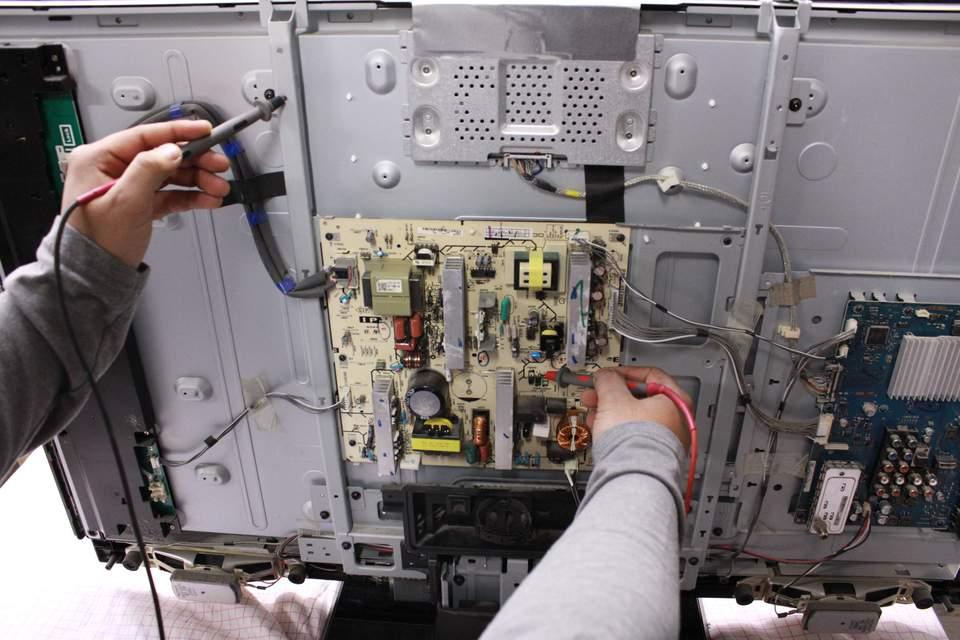
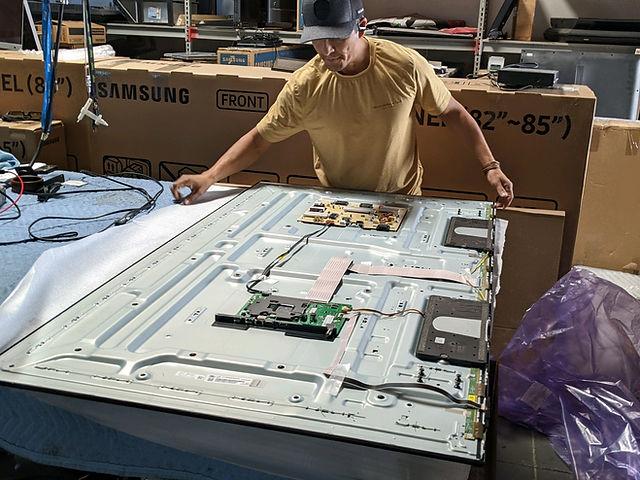
Samsung Smart TVs bring together television entertainment, internet connectivity, streaming applications, screen mirroring, digital broadcasting, and advanced multimedia features. These functions make Samsung Smart TVs popular in homes, offices, hotels, apartments, and commercial establishments throughout Nairobi.
However, when the Smart TV develops software problems, network connection failures, application errors, startup issues, freezing, or hardware faults, the television may become difficult or impossible to use.
At GossTech Kenya Technologies, we provide Samsung Smart TV repair and troubleshooting services in Nairobi and Across Kenya. We help diagnose Smart TV problems affecting internet connectivity, applications, Smart Hub, startup systems, picture, sound, and internal electronic components.
Whether your Samsung Smart TV cannot connect to Wi-Fi, Netflix refuses to open, YouTube keeps crashing, the TV freezes, or the television is stuck on the Samsung logo, proper troubleshooting can help identify the cause and determine the appropriate solution.
Samsung Smart TV Problems We Repair
Samsung Smart TVs can develop a wide range of problems, from minor software-related issues to complicated hardware failures.
Our Samsung Smart TV troubleshooting and repair services cover problems such as:
Samsung Smart TV not connecting to Wi-Fi
Samsung TV internet connection not working
Netflix not opening on Samsung TV
YouTube not working
Samsung Smart Hub not working
Applications freezing
Samsung TV stuck on loading screen
Samsung TV software update problems
Samsung TV stuck on Samsung logo
Samsung Smart TV restarting repeatedly
Samsung TV freezing during use
Samsung TV remote control problems
Screen mirroring not working
Samsung TV Bluetooth problems
Samsung TV failing to detect devices
Black screen problems
No picture or no sound
Samsung Smart TV power failure
Smart TV faults may originate from software, network settings, external devices, internal components, or the television’s operating system.
Proper diagnosis helps distinguish between problems that can be resolved through settings or software troubleshooting and those requiring technical repair.
Samsung Smart TV Wi-Fi Repair and Internet Connectivity Problems
One of the most common Samsung Smart TV complaints involves Wi-Fi and internet connectivity. Customers may find that their television connects to the router but cannot access the internet, disconnects repeatedly, or refuses to detect available wireless networks.
A working internet connection is important for streaming services, online applications, software updates, and other Smart TV features.
Samsung TV not connecting to Wi-Fi
If your Samsung Smart TV cannot connect to your wireless network, several factors may be responsible.
Possible causes include:
Incorrect Wi-Fi password
Router configuration problems
Weak wireless signal
Network interference
Television software problems
Incorrect network settings
Internal Wi-Fi module fault
Mainboard-related connectivity problems
Before concluding that your Samsung TV requires hardware repair, the network configuration and router connection should be checked.
Samsung TV keeps disconnecting from Wi-Fi
Some Samsung televisions connect successfully but repeatedly lose their internet connection.
This may happen when:
The router is unstable.
The wireless signal is weak.
Network settings are incorrect.
The television software has a problem.
The internal wireless hardware is faulty.
If the problem continues even when the router and network are functioning normally, further troubleshooting may be necessary.
Samsung TV connected to Wi-Fi but no internet
A television may display that it is connected to Wi-Fi while streaming applications remain unavailable.
This can be caused by router internet problems, DNS configuration, network settings, software issues, or other connectivity problems.
The distinction between Wi-Fi connectivity and actual internet access is important when troubleshooting this type of Samsung Smart TV problem.
Samsung Netflix Not Working Repair and Troubleshooting
Netflix is one of the applications frequently used on Samsung Smart TVs. When the application fails, customers may experience problems such as:
Netflix not opening
Netflix stuck on loading
Netflix displaying an error message
Netflix crashing
Netflix freezing
Netflix closing unexpectedly
Netflix showing a black screen
Netflix failing to play videos
The cause may involve internet connectivity, the Netflix application, television software, account-related issues, or the Smart TV system.
If Netflix is not working while other applications are functioning normally, the problem may be application-specific.
However, when several applications fail simultaneously, the television’s network connection or Smart TV system may require further investigation.
GossTech Kenya Technologies can assist with diagnosing Samsung Smart TV application problems and determining whether the issue involves software, connectivity, or hardware.
Samsung YouTube Not Working on Smart TV
YouTube problems on Samsung televisions can interrupt entertainment, music playback, educational videos, and other streaming services.
Customers may report that YouTube:
Refuses to open
Loads indefinitely
Crashes after opening
Freezes during playback
Displays an error
Shows a black screen
Fails to play videos
Keeps returning to the Smart TV home screen
Potential causes include application errors, internet connection problems, software compatibility, television software issues, or other Smart TV system problems.
If YouTube is not functioning correctly, the television should be assessed to determine whether the problem affects only YouTube or other Smart TV applications as well.
Samsung Smart Hub Not Working
Samsung Smart Hub provides access to Smart TV applications and other connected entertainment features.
When Smart Hub develops a problem, customers may experience:
Smart Hub not opening
Applications disappearing
Applications refusing to load
Smart Hub freezing
Samsung TV becoming unresponsive
Problems installing applications
Smart Hub displaying errors
Smart Hub problems may be associated with network connectivity, software, application configuration, or television system faults.
Troubleshooting may involve checking the network, application functionality, available software updates, and other system settings.
If Smart Hub continues malfunctioning after basic troubleshooting, technical assessment may be necessary.
Samsung Smart TV Software Update Problems
Samsung Smart TVs periodically receive software and firmware updates intended to improve system performance, compatibility, security, and functionality.
However, some televisions may experience difficulties during or after an update.
Common Samsung TV software update problems include:
Software update failing
TV unable to download updates
Update stuck at a particular percentage
TV freezing during an update
Television restarting after updating
Applications becoming unavailable after an update
Smart Hub malfunctioning
Television becoming unusually slow
TV stuck on startup after an update
Software-related faults should be handled carefully. Repeatedly interrupting an update or attempting inappropriate procedures may complicate the problem.
The correct troubleshooting approach depends on the Samsung TV model, current software, and the symptoms being experienced.
At GossTech Kenya Technologies, we help diagnose Samsung Smart TV software-related problems and determine whether the issue can be resolved through troubleshooting or requires further technical investigation.
Samsung Smart TV Freezing and Slow Performance
A Samsung Smart TV should respond reasonably quickly when navigating menus, opening applications, switching inputs, and adjusting settings.
When a television becomes unusually slow or frequently freezes, the problem may affect the viewing experience.
Symptoms of Samsung Smart TV freezing
TV freezes when opening applications.
Home screen becomes unresponsive.
Remote commands take a long time to respond.
Applications stop during playback.
TV freezes when changing channels.
Menus become slow.
Television repeatedly becomes unresponsive.
Possible causes include software problems, application issues, network connectivity, system resource limitations, or hardware-related faults.
If the television freezes frequently across different functions, it may require technical assessment.
Samsung TV Stuck on Samsung Logo
A Samsung Smart TV that remains stuck on the Samsung logo may fail to complete its startup process.
The television may:
Display the Samsung logo indefinitely.
Restart repeatedly after displaying the logo.
Show the logo before going black.
Fail to reach the home screen.
Remain frozen during startup.
Possible causes may include software problems, firmware issues, mainboard faults, or other internal electronic failures.
Not every Samsung logo problem is caused by software. A television may have an underlying hardware fault that prevents it from starting correctly.
Proper diagnosis helps determine whether the problem can be resolved through software troubleshooting or requires electronic repair.
Samsung Smart TV Boot Loop Repair
A boot loop occurs when a television repeatedly attempts to start but fails to remain operational.
For example, your Samsung TV may:
Turn on.
Display the Samsung logo.
Restart.
Display the logo again.
Continue repeating the same cycle.
This problem may be associated with:
Mainboard failure
Software or firmware problems
Power supply instability
Internal component failure
Overheating
Electrical faults
If your Samsung Smart TV is continuously restarting, repeated attempts to force it to start may not solve the underlying problem.
Professional diagnosis may be necessary to establish why the television cannot complete its startup process.
Samsung TV Screen Mirroring Problems
Samsung Smart TVs support different methods of connecting compatible devices for screen mirroring, depending on the model.
Screen mirroring allows users to display content from compatible smartphones, tablets, or computers on their television screens.
When screen mirroring fails, customers may experience:
Phone not detecting the Samsung TV
Samsung TV not appearing in available devices
Connection failing repeatedly
Screen mirroring disconnecting
Television displaying a connection error
Mirrored picture freezing
Audio working but picture not displaying correctly
Possible causes include wireless network configuration, device compatibility, television settings, software issues, or connectivity-related faults.
The troubleshooting procedure depends on the devices being connected and the Samsung TV model.
Samsung Smart TV Bluetooth Problems
Some Samsung Smart TV models support Bluetooth connectivity for compatible accessories.
Bluetooth can be used with devices such as:
Wireless headphones
Compatible speakers
Certain keyboards
Compatible controllers
Other supported Bluetooth accessories
Bluetooth problems may include:
TV failing to detect devices
Bluetooth pairing unsuccessful
Device disconnecting repeatedly
Audio cutting out
Samsung TV Bluetooth not working
Possible causes include pairing settings, accessory compatibility, software problems, or internal connectivity faults.
Samsung Smart TV Remote Control Problems
Smart TV remote controls may experience problems beyond ordinary battery failure.
Depending on the Samsung model, the remote may use infrared, Bluetooth, or a combination of communication technologies.
Common symptoms include:
Remote not responding
Power button working but other buttons failing
Voice control not working
Remote failing to pair
Navigation buttons malfunctioning
TV responding intermittently
Samsung Smart Remote disconnecting
If your Samsung TV remote is not functioning properly, the remote itself, batteries, pairing, receiver systems, or television software may need to be checked.
Samsung Smart TV Picture and Display Problems
Smart TV functionality does not eliminate ordinary television hardware problems.
Samsung Smart TVs can also develop display faults such as:
Black screen
Sound without picture
Screen flickering
Dark screen
Backlight failure
Horizontal lines
Vertical lines
Distorted colours
Blue tint
Screen flashing
Picture freezing
These problems may involve the display system, LED backlights, power supply, mainboard, or other electronic components.
When the Smart TV’s applications and internet features are functioning but the display is faulty, the repair may require hardware diagnosis rather than software troubleshooting.
Samsung Smart TV Sound Problems
Samsung Smart TVs may also experience audio problems while Smart TV applications continue working.
Common symptoms include:
No sound
Low volume
Distorted audio
Sound cutting out
Audio delay
Sound disappearing during streaming
TV speakers not working
External sound devices failing to connect
The problem may originate from the television’s audio settings, speakers, mainboard, software, external devices, or audio connection systems.
Proper diagnosis helps identify the source of the audio problem.
Samsung Smart TV Repair in Nairobi – Areas We Serve
GossTech Kenya Technologies provides Samsung Smart TV repair services across Nairobi and surrounding areas.
We assist customers experiencing Smart TV software problems, Wi-Fi connectivity issues, application errors, black screens, startup failures, sound problems, and other television faults.
Our service areas include:
Westlands and nearby locations
Westlands
Parklands
Spring Valley
Riverside
Rhapta Road
Waiyaki Way
Loresho
Kilimani, Lavington and Kileleshwa
Kilimani
Lavington
Kileleshwa
Hurlingham
Muthangari
Gatina
Riverside
Ngong Road
Argwings Kodhek Road
Karen and Langata
Karen
Langata
Hardy
Nairobi West
South C
South B
Northern Nairobi
Runda
Muthaiga
Ridgeways
Garden Estate
Kiambu Road
Ruaka
Thindigua
Two Rivers area
Eastern Nairobi
Embakasi
Donholm
Umoja
Buruburu
Kayole
Komarock
Ruai
Mihango
Utawala
Njiru
Thika Road
Kasarani
Roysambu
Zimmerman
Kahawa
Githurai
Ruiru
Thika Road
We also assist customers in other areas depending on the service and repair arrangements.
Samsung Smart TV Repair in Nairobi and Across Kenya.
Samsung Smart TV Repair Services Beyond Nairobi
Samsung Smart TV problems are not limited to Nairobi. Customers across Kenya also experience television software failures, application problems, connectivity faults, black screens, and hardware malfunctions.
GossTech Kenya Technologies serves customers in Nairobi and Across Kenya, with service arrangements depending on the television, fault, and location.
We receive inquiries from locations including:
Kiambu
Ruiru
Thika
Ruaka
Limuru
Machakos
Athi River
Kitengela
Nakuru
Naivasha
Nyeri
Nanyuki
Meru
Embu
Kisumu
Kakamega
Bungoma
Eldoret
Kitale
Mombasa
Malindi
Kilifi
Kisii
Migori
Homabay
Kericho
Voi
Garissa
Customers outside Nairobi should provide their television model number, location, and a description of the problem so that suitable repair arrangements can be discussed.
How to Troubleshoot a Samsung Smart TV Before Calling a Technician
Some Samsung Smart TV problems may be caused by external devices, network connections, or settings rather than internal hardware failure.
You can perform a few basic checks before arranging professional diagnosis.
1. Check your internet connection
If applications are not working, confirm that other devices can access the internet through the same Wi-Fi network.
2. Check whether the problem affects one application or several
If YouTube works but Netflix does not, the problem may be application-specific.
If several applications fail, investigate the television’s network connection or Smart TV system.
3. Check the connected devices
Disconnect external devices such as decoders, gaming consoles, USB devices, and HDMI accessories temporarily to determine whether they are contributing to the problem.
4. Restart the television appropriately
A normal restart may help resolve certain temporary software or application problems.
5. Check for software updates
If the television is operating normally enough to access its settings, check whether an appropriate software update is available.
6. Avoid unnecessary factory resets
Factory resets can remove settings, account information, and application configurations. They should not be performed unnecessarily, particularly when the television has a suspected hardware fault.
7. Seek technical assistance when the problem persists
If your Samsung Smart TV remains frozen, fails to start, repeatedly restarts, has a black screen, or exhibits persistent connectivity problems, professional diagnosis may be necessary.
Why Choose GossTech Kenya Technologies for Samsung Smart TV Repair?
When your Samsung Smart TV develops a problem, identifying the underlying fault is important.
GossTech Kenya Technologies offers professional television repair and troubleshooting services designed to help customers determine the appropriate solution for their Samsung TVs.
Our services include:
Samsung Smart TV diagnosis
Wi-Fi and internet connectivity troubleshooting
Application-related problem diagnosis
Smart Hub troubleshooting
Software and startup problem assessment
Mainboard diagnosis
Power supply repair
Backlight repair
Picture fault diagnosis
Sound problem diagnosis
HDMI and connectivity troubleshooting
Samsung television repair for different models and screen sizes
We focus on understanding the television’s symptoms and determining whether the fault is software-related, external, or caused by internal hardware.
Frequently Asked Questions About Samsung Smart TV Repair
Why is my Samsung Smart TV not connecting to Wi-Fi?
Possible causes include incorrect network settings, router problems, weak signal, software issues, or a faulty internal wireless system.
Why is Netflix not working on my Samsung TV?
Netflix problems may result from internet connectivity, application errors, software issues, or Smart TV system problems.
Why does YouTube keep crashing on my Samsung TV?
Possible causes include application problems, network instability, software issues, or television system faults.
Why is my Samsung TV stuck on the Samsung logo?
This may be caused by software problems, firmware-related issues, mainboard failure, or other internal hardware faults.
Can a Samsung Smart TV be repaired?
Yes. Many Samsung Smart TV problems can be repaired, depending on the underlying fault, television model, parts availability, and condition.
Can you repair Samsung Smart TVs that keep restarting?
Yes. Repeated restarting may be caused by power supply faults, motherboard problems, software issues, overheating, or other internal failures. Diagnosis is required to establish the cause.
Do you repair Samsung Smart TVs in Nairobi?
Yes. GossTech Kenya Technologies provides Samsung Smart TV repair services in Nairobi and surrounding areas.
Do you serve customers outside Nairobi?
Our service coverage is Nairobi and Across Kenya, with arrangements depending on location and the nature of the repair.
Professional Samsung Smart TV Repair in Nairobi and Across Kenya
If your Samsung Smart TV is experiencing internet connectivity problems, application errors, software malfunctions, freezing, startup failures, black screens, sound problems, or other technical faults, GossTech Kenya Technologies can help.
We diagnose and repair a wide range of Samsung television problems, helping customers determine whether their TVs require software troubleshooting, electronic repairs, component replacement, or other technical solutions.
Whether your Samsung Smart TV is failing to connect to Wi-Fi, Netflix is not opening, YouTube keeps freezing, Smart Hub is malfunctioning, or your television is stuck on the Samsung logo, contact us for professional assistance.
GossTech Kenya Technologies
📞 0723613664
📧 info@gosstech.co.ke
🌐 www.gosstech.co.ke
Description
Samsung Smart TV repair in Nairobi and Across Kenya. We repair Wi-Fi problems, Netflix, YouTube, Smart Hub, software faults, freezing, black screens and startup problems. Call GossTech Kenya Technologies on 0723613664.