
Samsung TV Software Repair in Nairobi – Samsung TV Stuck on Logo, Freezing, Restarting, Firmware and Smart Hub Problems
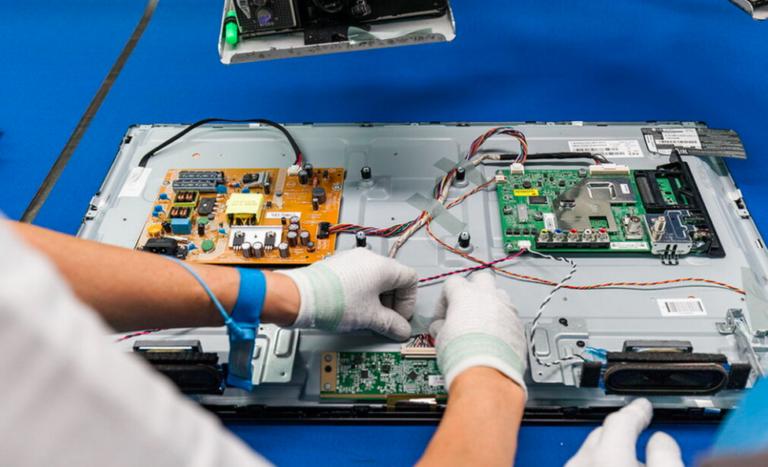
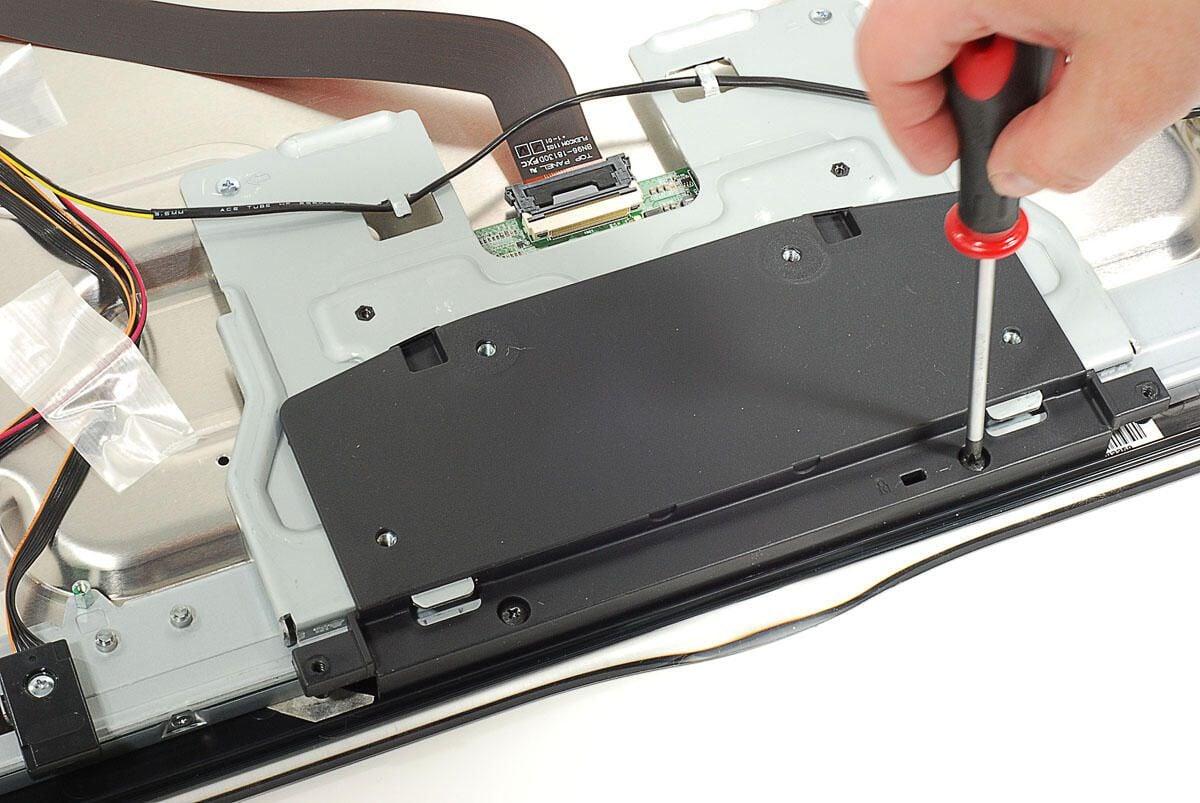
Samsung televisions rely on software and firmware to control television functions, Smart TV applications, menus, HDMI inputs, Wi-Fi connectivity, Bluetooth, picture settings, sound, and communication between internal components.
When Samsung TV software develops problems, the television may freeze, become slow, restart repeatedly, get stuck on the Samsung logo, fail to open applications, or stop responding to the remote control.
At GossTech Kenya Technologies, we provide Samsung TV software troubleshooting, firmware diagnosis, Smart TV repair, operating system troubleshooting, motherboard repair, and television software-related repair services in Nairobi and Across Kenya.
Whether your Samsung TV is stuck on the startup logo, keeps restarting, freezes during operation, experiences Smart Hub problems, or has software-related functionality issues, our technicians can diagnose the problem and recommend the appropriate solution.
Samsung TV Software Repair Services in Nairobi
Samsung TV software problems can arise from corrupted firmware, failed updates, system errors, memory-related problems, application issues, or underlying motherboard faults.
Our Samsung TV repair services cover common software-related problems, including:
Samsung TV stuck on Samsung logo
Samsung TV stuck during startup
Samsung TV keeps restarting
Samsung TV freezing
Samsung TV slow menus
Samsung TV not responding to remote
Samsung Smart Hub not working
Samsung TV applications crashing
Samsung TV software update failure
Samsung TV firmware problems
Samsung TV black screen after software update
Samsung TV boot loop
Samsung TV stuck on loading screen
Samsung TV settings not opening
Samsung TV system errors
Samsung TV software-related motherboard problems
We investigate the actual cause before recommending software recovery, firmware updates, hardware repair, or motherboard replacement.
Samsung TV Stuck on Samsung Logo
One of the common Samsung Smart TV problems is a television that powers on but remains stuck displaying the Samsung logo.
The television may show the logo for several minutes without progressing to the home screen.
In some cases, the Samsung logo appears repeatedly as the television restarts.
Common symptoms
TV switches on but remains on Samsung logo.
Samsung logo appears and disappears repeatedly.
Television never reaches the home screen.
TV freezes during startup.
Television restarts before completing booting.
TV remains stuck on a loading screen.
TV becomes unresponsive after displaying the logo.
Possible causes
Corrupted firmware
Failed software update
System boot failure
Internal memory problems
Mainboard malfunction
Power supply instability
Damaged software-related components
Hardware failure affecting system startup
A television stuck on the Samsung logo does not always require motherboard replacement. The fault must first be diagnosed to determine whether software recovery is possible.
Samsung TV Keeps Restarting
A Samsung television that repeatedly switches off and on may have a software problem or a hardware-related fault.
This problem is sometimes referred to as a boot loop.
Symptoms
Samsung TV turns on and switches off repeatedly.
Samsung logo appears before restarting.
Television restarts every few minutes.
TV cannot remain on the home screen.
TV restarts when opening applications.
Television restarts during software updates.
TV switches off before completing startup.
Possible causes
Corrupted firmware
Software boot failure
Mainboard problems
Power supply instability
Overheating
Faulty internal components
Failed system update
Hardware faults affecting startup
Repeated restarting should not automatically be assumed to be a software problem. The power supply and motherboard may also require inspection.
Samsung TV Freezing and Slow Performance
Samsung Smart TVs may become slow or freeze when navigating menus, opening applications, changing channels, or accessing Smart Hub.
The television may stop responding temporarily or require a restart before normal operation resumes.
Common symptoms
TV menus respond slowly.
Applications take too long to open.
Television freezes while streaming.
Remote commands are delayed.
Smart Hub stops responding.
TV freezes during startup.
Picture remains frozen while sound continues.
Television becomes unresponsive after prolonged use.
Possible causes
Software bugs
Firmware problems
Application errors
System memory limitations
Corrupted system data
Internal storage problems
Mainboard faults
Overheating
If the television freezes frequently even after restarting and resetting it, further diagnosis may be necessary.
Samsung Smart Hub Not Working
Samsung Smart Hub provides access to applications and Smart TV features.
When Smart Hub develops problems, users may be unable to access applications, browse content, or use certain internet-based functions.
Common Smart Hub problems
Smart Hub not opening.
Smart Hub loading indefinitely.
Applications missing.
Applications crashing.
Apps refusing to install.
Smart Hub displaying errors.
Samsung TV home screen not loading.
Smart Hub freezing.
Apps failing to update.
Possible causes include:
Internet connectivity problems
Samsung account issues
Software errors
Firmware problems
Application compatibility issues
Smart Hub configuration problems
Smart Hub troubleshooting may involve checking network connectivity, resetting Smart Hub, checking software updates, and investigating the television’s system functionality.
Samsung TV Software Update Problems
Software updates help Samsung televisions maintain compatibility, improve functionality, and resolve certain system problems.
However, update failures can sometimes cause television software issues.
Common update problems
Software update fails to install.
TV remains stuck during updating.
Update progress stops.
Television restarts repeatedly during an update.
Software update message appears repeatedly.
Samsung TV becomes unresponsive after updating.
TV develops a black screen after an update.
Applications stop working after updating.
Possible causes
Interrupted internet connection
Power interruption during update
Incompatible firmware
Corrupted update files
Failed firmware installation
Internal memory problems
Mainboard faults
If the TV becomes stuck during an update, switching it off repeatedly may worsen the problem depending on the stage of the update.
Samsung TV Firmware Repair
Firmware is the software that controls the television’s basic operation and hardware functions.
When firmware becomes corrupted or fails to load correctly, the TV may experience startup problems, freezing, software errors, or malfunctioning features.
Samsung TV firmware-related symptoms
TV stuck on startup.
Television not booting properly.
Smart TV features malfunctioning.
System menus not opening.
Television repeatedly restarting.
Software update failure.
TV displaying unexpected errors.
Certain functions becoming unavailable.
Depending on the television model and fault, firmware recovery or software reinstallation may be possible.
However, firmware repair must be performed using software compatible with the specific Samsung television model.
Samsung TV Black Screen After Software Update
Some televisions may develop display problems after software updates or system changes.
The television may power on but display a black screen, fail to reach the home screen, or become unresponsive.
Possible causes
Failed firmware update
Corrupted software
Startup system failure
Mainboard malfunction
Power supply problems
Display-related hardware faults
A black screen after an update is not necessarily a software fault. Proper diagnosis is required to distinguish between firmware problems and hardware failures.
Samsung TV Applications Not Working
Samsung Smart TV applications may stop functioning properly even when the television itself appears to be operating normally.
Common affected applications may include:
YouTube
Netflix
Showmax
Amazon Prime Video
Samsung TV Plus
Internet browser
Other streaming applications
Common symptoms
Applications fail to open.
Apps close unexpectedly.
Apps freeze during loading.
Streaming content does not play.
Application error messages appear.
Apps cannot be updated.
Apps disappear from the TV.
Possible causes include internet connectivity problems, application-specific errors, software compatibility issues, Smart Hub problems, or television system faults.
Samsung TV Software Repair and Firmware Recovery
At GossTech Kenya Technologies, Samsung TV software problems are diagnosed according to the television model and the symptoms experienced.
Our repair process may involve:
Identifying the Samsung TV model and software version.
Assessing the startup and system behaviour.
Determining whether the problem is software-related or hardware-related.
Checking for firmware or system errors.
Performing appropriate software troubleshooting.
Checking whether firmware recovery is possible.
Investigating motherboard or memory-related faults where necessary.
Testing the television after repair.
Firmware recovery may be possible on some models, but the procedure varies depending on the television model and the severity of the software problem.
Samsung TV Boot Loop Repair
A boot loop occurs when the television repeatedly attempts to start but fails to complete the startup process.
The Samsung logo may appear, disappear, and then reappear as the TV restarts.
Common boot loop causes
Firmware corruption
Failed software update
Mainboard problems
Power supply instability
Internal memory failure
Faulty electronic components
System startup errors
Boot loop repair requires identifying why the television cannot complete its startup process.
Samsung TV Software Problems Caused by Mainboard Failure
Although many Samsung TV software problems can be related to firmware or system errors, some symptoms originate from the motherboard.
The mainboard controls television startup, software execution, memory, communication between components, and Smart TV functionality.
A motherboard fault may cause:
Samsung logo freezing
Repeated restarting
Smart Hub failure
Applications crashing
Software update failure
TV freezing
Wi-Fi problems
HDMI problems
Bluetooth problems
When the problem originates from the motherboard, software recovery alone may not resolve the issue.
Samsung TV Software Repair or Motherboard Replacement?
Not every Samsung TV software problem requires replacing the mainboard.
Depending on the diagnosis, possible repair solutions include:
Software troubleshooting
Firmware recovery
Software reinstallation where supported
Smart Hub reset
Application troubleshooting
System configuration correction
Memory-related diagnosis
Component-level motherboard repair
Mainboard replacement where necessary
The appropriate solution depends on the specific Samsung TV model and the underlying fault.
Samsung TV Software Troubleshooting Before Repair
Before contacting a technician, you can try several basic troubleshooting steps.
1. Power reset the television
Switch off your Samsung TV and disconnect it from the power socket.
Wait approximately one minute before reconnecting it.
This may help clear temporary system errors.
2. Restart the television
If the television is responsive, restart it normally and check whether the problem persists.
3. Check the internet connection
If applications or Smart Hub are not working, confirm that your internet connection is stable.
4. Check for software updates
If your TV is operating normally enough to access its settings, check whether a compatible software update is available.
5. Reset Smart Hub
If Smart Hub applications are malfunctioning, resetting Smart Hub may help on supported Samsung models. This may remove some application settings or sign-in information.
6. Perform a factory reset if appropriate
A factory reset can resolve some software configuration problems, but it also removes personal settings and may require you to set up the television again.
7. Avoid repeatedly interrupting firmware updates
If the TV is performing a software update, avoid disconnecting the power unless there is a specific reason or professional guidance.
8. Seek professional diagnosis
If your Samsung TV remains stuck on the logo, repeatedly restarts, freezes, or cannot complete software recovery, it may require professional repair.
Samsung TV Software Repair for Different Models
GossTech Kenya Technologies provides software troubleshooting and repair services for various Samsung television types, including:
Samsung LED TVs
Samsung LCD TVs
Samsung Smart TVs
Samsung Crystal UHD TVs
Samsung 4K TVs
Samsung QLED TVs
Samsung Neo QLED TVs
Samsung OLED TVs
Samsung Frame TVs
Samsung curved televisions
Samsung software and firmware differ depending on the television model, series, screen size, and manufacturing year.
We identify the exact model before recommending software recovery or other repairs.
Samsung TV Software Repair Cost in Nairobi
The cost of Samsung TV software repair depends on the nature and severity of the problem.
Simple software troubleshooting may cost less than firmware recovery involving specialized procedures or repairs involving motherboard components.
Factors affecting the repair cost include:
Samsung TV model
Screen size
Nature of the software problem
Firmware recovery requirements
Whether the TV can boot
Internal memory or motherboard faults
Availability of compatible replacement components
Whether motherboard-level repair is necessary
At GossTech Kenya Technologies, we diagnose the television before recommending the appropriate repair.
Samsung TV Software Repair in Nairobi and Across Kenya
GossTech Kenya Technologies provides Samsung TV repair services in Nairobi and surrounding areas, including:
Westlands
Parklands
Kilimani
Kileleshwa
Lavington
Karen
Langata
Runda
Muthaiga
Ridgeways
Kiambu Road
Kasarani
Roysambu
Embakasi
Donholm
South B
South C
Ruaka
Kiambu
Ruiru
Thika
Athi River
Kitengela
We also serve customers in other towns and counties across Kenya.
Whether your Samsung TV is stuck on the logo, freezing, restarting, experiencing Smart Hub problems, or has failed after a software update, we can help diagnose the fault.
Why Choose GossTech Kenya Technologies?
When your Samsung TV develops software problems, professional diagnosis is important because similar symptoms can be caused by different faults.
At GossTech Kenya Technologies, we provide:
Samsung TV software troubleshooting
Firmware diagnosis and recovery where applicable
Smart Hub troubleshooting
Samsung TV boot loop repair
Samsung TV stuck-on-logo diagnosis
Television freezing and slow-performance troubleshooting
Samsung motherboard repair
TV software-related hardware diagnosis
Repair of different Samsung television models
Television repair services in Nairobi and Across Kenya
Our technicians investigate the actual cause of the problem before recommending a repair.
Frequently Asked Questions About Samsung TV Software Repair
Why is my Samsung TV stuck on the Samsung logo?
The problem may be caused by corrupted firmware, a failed software update, internal memory problems, motherboard failure, or power supply instability.
Why does my Samsung TV keep restarting?
Repeated restarting may be caused by firmware problems, boot failure, motherboard faults, power supply problems, overheating, or defective internal components.
Can a Samsung TV stuck on the logo be repaired?
Yes. Depending on the cause, the television may be repaired through firmware recovery, software troubleshooting, component-level repair, or motherboard repair.
Why is my Samsung TV freezing?
Freezing may be caused by software bugs, firmware problems, application errors, internal memory issues, overheating, or motherboard faults.
Can Samsung TV software be reinstalled?
Some Samsung TV models support software recovery or reinstallation procedures. The appropriate method depends on the specific television model and the nature of the fault.
Why is Samsung Smart Hub not working?
Smart Hub problems may be caused by internet connectivity issues, software errors, application problems, system configuration, or motherboard-related faults.
Can a failed Samsung TV software update damage the TV?
An interrupted or unsuccessful update can cause software-related problems, including startup failures. However, some TVs may also have underlying hardware problems that become apparent during an update.
Does a Samsung TV stuck on the logo always require motherboard replacement?
No. Some logo-freezing problems may be software-related and can potentially be resolved through firmware recovery or troubleshooting. Hardware diagnosis is necessary before recommending motherboard replacement.
Do you repair Samsung TV software problems outside Nairobi?
Yes. GossTech Kenya Technologies provides television repair services in Nairobi and Across Kenya, depending on the location and repair requirements.
Contact GossTech Kenya Technologies
If your Samsung TV is stuck on the Samsung logo, keeps restarting, freezes, has Smart Hub problems, or has failed after a software update, contact GossTech Kenya Technologies for professional diagnosis.
GossTech Kenya Technologies
📞 Phone: 0723613664
✉️ Email: info@gosstech.co.ke
Samsung TV Software Repair | Firmware Recovery | Samsung TV Boot Loop Repair | Smart Hub Repair | Samsung TV Motherboard Repair
We provide Samsung TV repair services in Nairobi and Across Kenya.
Description
Samsung TV software repair in Nairobi. Fix Samsung TV stuck on logo, boot loop, freezing, restarting, firmware update failures and Smart Hub problems. GossTech Kenya Technologies serves Nairobi and Across Kenya. Call 0723613664.