
Samsung TV Wi-Fi Repair in Nairobi – Samsung Smart TV Not Connecting to Wi-Fi, Internet or Network Problems
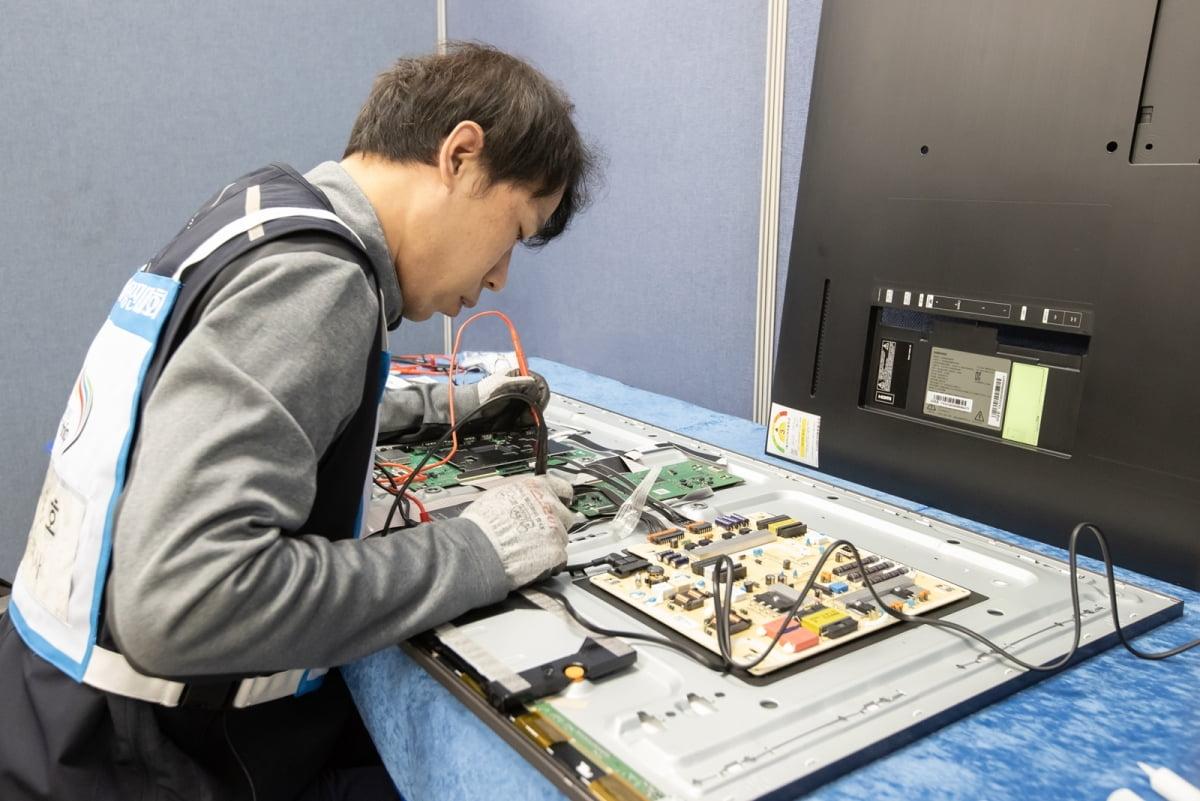
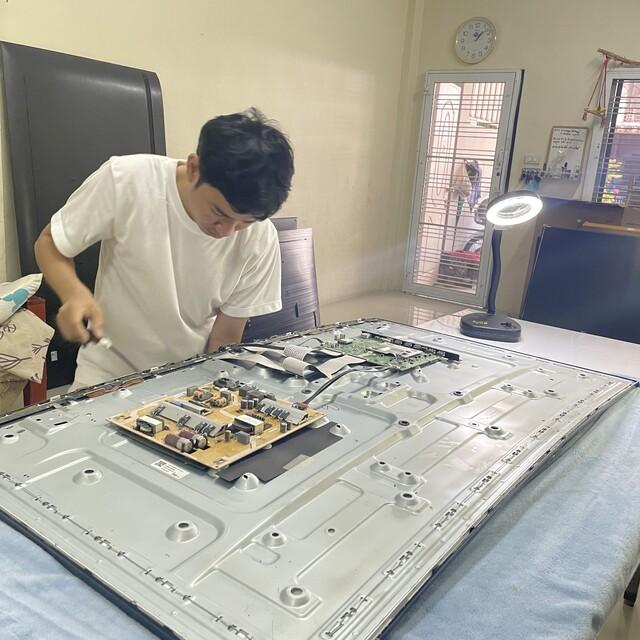
Samsung Smart TVs allow users to stream movies, watch online content, access applications, browse the internet, and connect to different smart home devices. However, when a Samsung television develops Wi-Fi connectivity problems, many of these functions may stop working.
Some Samsung TV owners experience televisions that cannot connect to Wi-Fi, continuously disconnect from the internet, fail to detect wireless networks, display network errors, or connect to Wi-Fi but cannot access online applications.
At GossTech Kenya Technologies, we provide Samsung Smart TV repair, Wi-Fi troubleshooting, wireless network diagnostics, motherboard repair, and Smart TV connectivity solutions in Nairobi and Across Kenya.
Whether your Samsung TV cannot find your Wi-Fi network, refuses to connect to the router, keeps disconnecting, or has stopped accessing the internet, our technicians can diagnose the problem and recommend the appropriate repair.
Samsung Smart TV Wi-Fi Repair Services in Nairobi
Samsung Smart TV Wi-Fi problems can be caused by several different factors. Some faults are related to the router or internet connection, while others may involve the television’s wireless module, motherboard, software, network settings, or internal hardware.
Our Samsung TV repair services cover problems such as:
Samsung TV not connecting to Wi-Fi
Samsung Smart TV not detecting wireless networks
Wi-Fi connection keeps disconnecting
Samsung TV connected to Wi-Fi but no internet
Samsung TV Wi-Fi option missing
Samsung TV network settings not working
Samsung TV unable to connect to hotspot
Samsung TV internet connection problems
Samsung TV Wi-Fi password not accepted
Samsung Smart TV network errors
Samsung TV wireless connection failing after an update
Samsung TV Wi-Fi working intermittently
Samsung TV unable to connect to applications
Samsung TV motherboard-related network problems
We diagnose the actual cause of the connectivity problem before recommending repairs.
Samsung TV Not Connecting to Wi-Fi
One of the most common Samsung Smart TV problems is failure to connect to a wireless network.
You may enter the correct Wi-Fi password, but the television continues failing to connect.
The TV may display messages such as:
Unable to connect to wireless network
Network connection failed
Cannot connect to router
Incorrect password
Network unavailable
Connection failed
Unable to connect to the internet
Possible causes
Incorrect Wi-Fi password
Router problems
Weak wireless signal
Network configuration issues
Television software problems
Faulty Wi-Fi module
Mainboard failure
Router compatibility problems
Wireless interference
Before assuming that your Samsung television requires hardware repair, it is important to establish whether other devices can connect to the same network.
Samsung TV Not Detecting Wi-Fi Networks
Some Samsung televisions may fail to display available wireless networks.
When opening the network settings, the TV may show an empty network list even when several Wi-Fi networks are available nearby.
This problem can occur when:
The Wi-Fi module is defective.
The television’s wireless antenna connection is damaged.
The TV software has malfunctioned.
The motherboard has a wireless communication fault.
The television has experienced an electrical surge.
The wireless module is not receiving proper power.
Symptoms of a Wi-Fi detection problem
No available networks appear.
The TV cannot detect your home Wi-Fi.
The TV cannot detect mobile hotspots.
Wi-Fi disappears from the settings menu.
Wireless networks appear and disappear.
The television detects networks only occasionally.
If the TV cannot detect multiple networks or a nearby mobile hotspot, the problem may be within the television itself.
Samsung Smart TV Wi-Fi Keeps Disconnecting
A Samsung TV may connect successfully to Wi-Fi but disconnect after a few minutes or hours.
This can interrupt streaming services, online applications, YouTube, Netflix, and other internet-based functions.
Common symptoms
Wi-Fi disconnects while watching movies.
Samsung TV reconnects repeatedly.
Streaming applications stop unexpectedly.
The television loses internet connection randomly.
Wi-Fi works after restarting the TV.
The television disconnects more frequently than other devices.
Network connection becomes unstable.
Possible causes
Intermittent Wi-Fi connectivity may be caused by:
Weak Wi-Fi signal
Router instability
Wireless interference
Faulty Wi-Fi module
Internal antenna problems
TV overheating
Software glitches
Mainboard faults
If other devices remain connected normally while the Samsung TV repeatedly disconnects, the television may require further diagnosis.
Samsung TV Connected to Wi-Fi but No Internet
Sometimes a Samsung television successfully connects to the router but cannot access online services.
The network status may indicate that the TV is connected to Wi-Fi, but applications fail to load.
This problem may affect:
YouTube
Netflix
Showmax
Amazon Prime Video
Samsung Smart Hub
Internet browser
Other streaming applications
Possible causes
Router has no internet connection.
DNS configuration problems.
Incorrect network settings.
Internet service provider problems.
Samsung Smart Hub issues.
TV software problems.
Router compatibility problems.
Network communication faults.
A television connecting successfully to Wi-Fi does not necessarily mean that it has a functioning internet connection.
Samsung TV Wi-Fi Option Missing
A Samsung Smart TV may suddenly lose the Wi-Fi option from its network settings.
In some cases, the network menu may show only wired network options, or the wireless connection option may become unavailable.
This can be caused by:
Wi-Fi module failure
Internal wireless component malfunction
Mainboard problems
Software corruption
Firmware issues
Loose internal connections
If restarting the television and resetting its network settings does not restore the Wi-Fi option, professional diagnosis may be necessary.
Samsung TV Wi-Fi Password Not Accepted
Sometimes Samsung televisions repeatedly reject a Wi-Fi password even when the password is correct.
This may occur because of:
Incorrect password entry
Router security settings
Router configuration
Software problems
Network authentication issues
Compatibility problems between the router and television
Check the password carefully and confirm that other devices can connect to the same network.
If the television continues rejecting the password despite correct credentials, the network configuration may need further investigation.
Samsung TV Wi-Fi Problems After a Software Update
Some Samsung Smart TV owners experience connectivity problems after updating their television software.
The TV may previously have connected normally but begin experiencing:
Wi-Fi connection failures
Network detection problems
Repeated disconnections
Application connection errors
Smart Hub problems
Slow internet connectivity
Software updates can sometimes change network settings or introduce compatibility problems.
However, persistent connectivity failure may also reveal an underlying hardware fault that was not previously noticeable.
Samsung TV Cannot Connect to Mobile Hotspot
Testing your Samsung television using a mobile hotspot can help determine whether the problem is related to your home router.
If the television connects to a mobile hotspot but cannot connect to your home Wi-Fi, the problem may involve:
Router configuration
Wi-Fi security settings
Router compatibility
Signal strength
Home network problems
If the Samsung TV cannot connect to multiple networks, including mobile hotspots, the problem may be related to the television’s wireless hardware or software.
Samsung TV Wi-Fi Repair and Wireless Module Problems
Samsung Smart TVs use wireless communication hardware to connect to Wi-Fi networks.
Depending on the television model, wireless functionality may involve a dedicated Wi-Fi module, integrated components, antenna connections, or motherboard circuitry.
When these components develop faults, the television may experience persistent network problems.
Possible hardware faults
Defective Wi-Fi module
Damaged wireless antenna
Loose internal antenna connection
Faulty motherboard
Damaged wireless communication circuitry
Electrical surge damage
Component failure
A technician should establish whether the wireless module is replaceable separately or whether the fault involves the television’s mainboard.
Samsung TV Wi-Fi Module Replacement
If testing confirms that the Wi-Fi module is defective, replacement may be required.
The repair process generally involves:
Identifying the Samsung TV model.
Confirming the Wi-Fi fault.
Testing wireless connectivity and network detection.
Inspecting internal wireless components and antenna connections.
Identifying the correct compatible Wi-Fi module.
Replacing the defective component where applicable.
Testing the television using different wireless networks.
Confirming stable connectivity.
Not all Samsung television models use identical wireless components. Therefore, replacement parts must be compatible with the specific TV model.
Samsung TV Motherboard Repair for Wi-Fi Problems
Wi-Fi faults can sometimes originate from the motherboard rather than the wireless module.
The motherboard controls several television functions, including communication between internal components and external devices.
A motherboard fault may cause:
Wi-Fi failure
Bluetooth failure
Network detection problems
Smart Hub problems
Television restarting
Application failures
Software freezing
Multiple smart functions failing simultaneously
Depending on the fault, motherboard-level repair or replacement may be necessary.
Samsung TV Wi-Fi Troubleshooting Before Repair
Before contacting a technician, you can perform several basic checks to determine whether the problem is related to your network or television.
1. Restart your Samsung TV
Switch off the television and disconnect it from the power socket.
Leave it disconnected for approximately one minute, then reconnect and switch it on.
This can help clear temporary software or network problems.
2. Restart your router
Switch off your Wi-Fi router, wait briefly, and restart it.
Allow the router to establish its internet connection before attempting to reconnect the television.
3. Test another Wi-Fi network
Try connecting your Samsung TV to a mobile hotspot.
If it connects successfully, your home router or network configuration may be responsible for the problem.
4. Check the Wi-Fi password
Confirm that you are entering the correct password and that the router’s security settings are compatible with the television.
5. Move the router closer
A weak Wi-Fi signal can cause connection failures and repeated disconnections.
If possible, temporarily move the router closer to the television or test the connection in a location with a stronger signal.
6. Reset network settings
On supported Samsung TV models, you may find the network reset option under the television’s network settings.
Resetting the network configuration can resolve certain software-related connectivity problems.
7. Check the television software
If your Samsung TV is experiencing software problems, check whether a software update is available.
Where the television cannot connect to the internet, some models may support updating through USB using compatible firmware.
8. Seek professional diagnosis
If the TV cannot detect networks, fails to connect to different Wi-Fi networks, or repeatedly disconnects despite a stable router, it may require hardware repair.
Samsung TV Wi-Fi Repair for Different Samsung Models
GossTech Kenya Technologies provides Samsung Smart TV troubleshooting and Wi-Fi repair services for different television models, including:
Samsung LED TVs
Samsung LCD TVs
Samsung Smart TVs
Samsung Crystal UHD TVs
Samsung 4K TVs
Samsung QLED TVs
Samsung Neo QLED TVs
Samsung OLED TVs
Samsung Frame TVs
Samsung curved televisions
Wireless hardware and motherboard designs may differ between television models, screen sizes, and manufacturing years.
We assess the specific model before recommending replacement parts or repairs.
Samsung TV Wi-Fi Repair Cost in Nairobi
The cost of repairing Samsung TV Wi-Fi problems depends on the cause of the fault.
A software-related network problem may require less work than replacing a defective wireless module or repairing a damaged motherboard.
Factors affecting the repair cost include:
Samsung TV model
Screen size
Nature of the Wi-Fi problem
Wireless module availability
Antenna condition
Motherboard damage
Availability of compatible replacement parts
Whether component-level repair is possible
At GossTech Kenya Technologies, we diagnose the problem before recommending the appropriate repair.
Samsung TV Wi-Fi Repair or Replacement?
Not every Wi-Fi problem requires replacing the entire television or motherboard.
Depending on the diagnosis, possible solutions include:
Network settings correction
Software troubleshooting
Firmware update
Wireless antenna repair
Wi-Fi module replacement
Motherboard circuit repair
Mainboard replacement where necessary
The correct solution depends on the television model and the specific fault.
Samsung TV Wi-Fi Repair in Nairobi and Across Kenya
GossTech Kenya Technologies provides Samsung Smart TV repair services in Nairobi and surrounding areas, including:
Westlands
Parklands
Kilimani
Kileleshwa
Lavington
Karen
Langata
Runda
Muthaiga
Ridgeways
Kiambu Road
Kasarani
Roysambu
Embakasi
Donholm
South B
South C
Ruaka
Kiambu
Ruiru
Thika
Athi River
Kitengela
We also serve customers in other towns and counties across Kenya.
Whether your Samsung TV cannot connect to Wi-Fi, fails to detect networks, keeps disconnecting, or has a motherboard-related wireless fault, we can help diagnose the problem.
Why Choose GossTech Kenya Technologies?
When your Samsung Smart TV develops connectivity problems, professional diagnosis can help identify the actual cause and avoid unnecessary component replacement.
At GossTech Kenya Technologies, we offer:
Samsung Smart TV repair
Wi-Fi connectivity troubleshooting
Wireless module diagnosis
Wi-Fi module replacement where applicable
Samsung motherboard repair
Network connection troubleshooting
Smart TV software diagnosis
Repair of different Samsung television models
Television repair services in Nairobi and Across Kenya
Our technicians work on different Samsung television models and diagnose both software-related and hardware-related connectivity problems.
Frequently Asked Questions About Samsung TV Wi-Fi Repair
Why is my Samsung TV not connecting to Wi-Fi?
The problem may be caused by an incorrect password, router problems, weak signal, network settings, software issues, a faulty Wi-Fi module, or motherboard failure.
Why does my Samsung TV keep disconnecting from Wi-Fi?
Repeated disconnections may be caused by weak wireless signals, router instability, interference, faulty wireless hardware, software problems, or internal television faults.
Why is my Samsung TV not detecting any Wi-Fi networks?
If the television cannot detect any available wireless networks, the problem may involve the Wi-Fi module, antenna, internal connections, software, or motherboard circuitry.
My Samsung TV connects to Wi-Fi but has no internet. What should I do?
Restart your router, test other devices, and check the television’s network settings. The issue may be related to your internet provider, router configuration, DNS settings, or the TV itself.
Can a Samsung TV Wi-Fi module be replaced?
Yes, some Samsung television models have replaceable wireless modules. Compatibility depends on the exact television model and the nature of the fault.
Can Samsung TV Wi-Fi problems be repaired without replacing the motherboard?
Yes. Some problems can be resolved through software troubleshooting, antenna repair, wireless module replacement, or component-level motherboard repair.
Why did my Samsung TV Wi-Fi stop working suddenly?
Sudden Wi-Fi failure may result from software problems, electrical surges, wireless module failure, internal connection problems, or motherboard faults.
Do you repair Samsung Smart TVs that cannot connect to mobile hotspots?
Yes. We diagnose Samsung televisions that cannot connect to home Wi-Fi networks, mobile hotspots, or other wireless networks.
Do you offer Samsung TV Wi-Fi repair outside Nairobi?
Yes. GossTech Kenya Technologies provides television repair services in Nairobi and Across Kenya, depending on the location and repair requirements.
Contact GossTech Kenya Technologies
If your Samsung Smart TV is not connecting to Wi-Fi, cannot detect networks, keeps disconnecting, or has stopped accessing online applications, contact us for professional diagnosis.
GossTech Kenya Technologies
📞 Phone: 0723613664
✉️ Email: info@gosstech.co.ke
Samsung TV Wi-Fi Repair | Samsung Smart TV Network Repair | Wi-Fi Module Repair | Samsung TV Motherboard Repair
We provide Samsung TV repair services in Nairobi and Across Kenya.
Description
Samsung TV Wi-Fi repair in Nairobi. Fix Samsung Smart TVs not connecting to Wi-Fi, network problems, internet disconnections, missing Wi-Fi and wireless module faults. GossTech Kenya Technologies serves Nairobi and Across Kenya. Call 0723613664.