
Samsung TV HDMI Port Repair in Nairobi – HDMI No Signal, Port Damage and Connection Problems
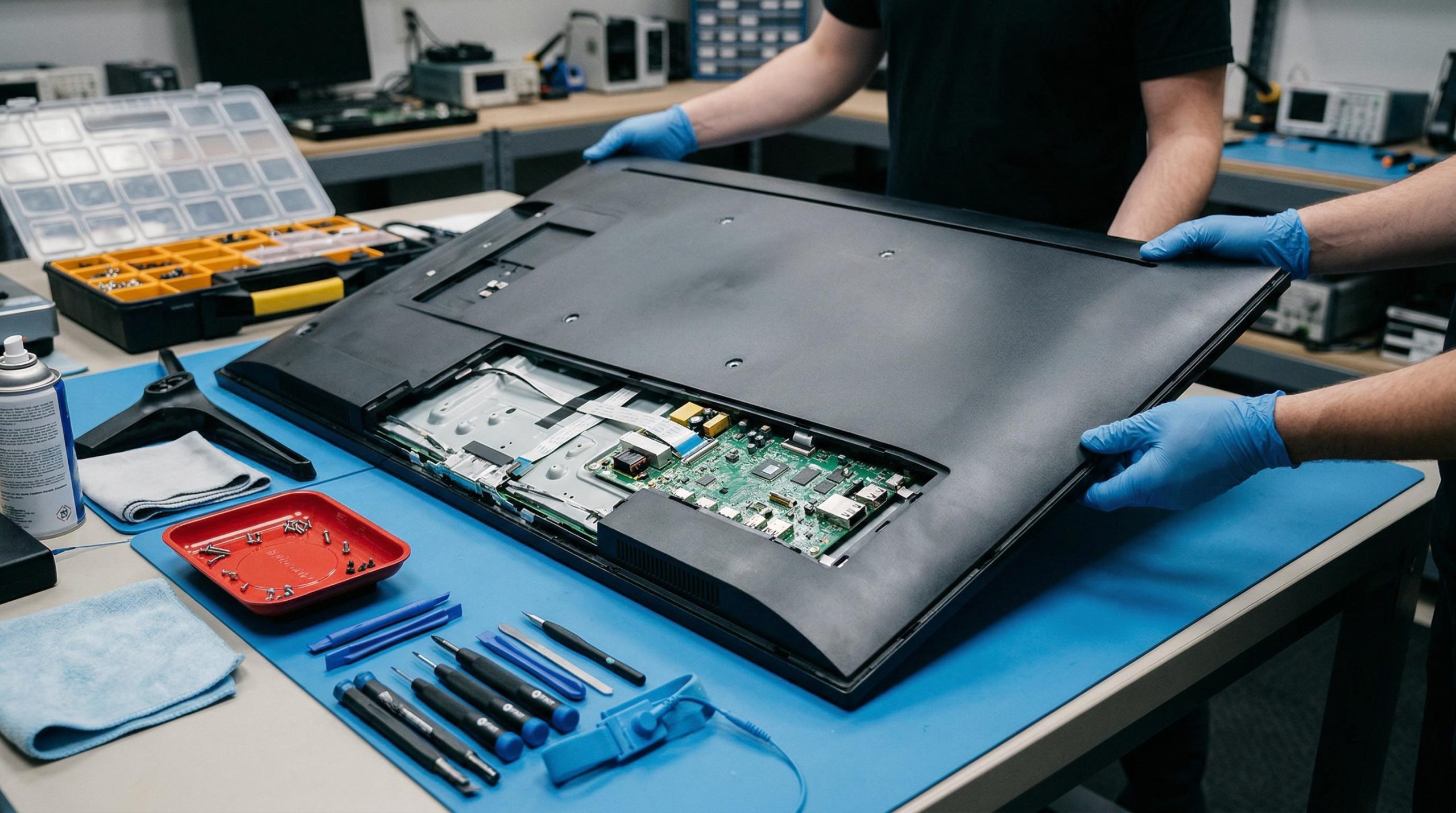
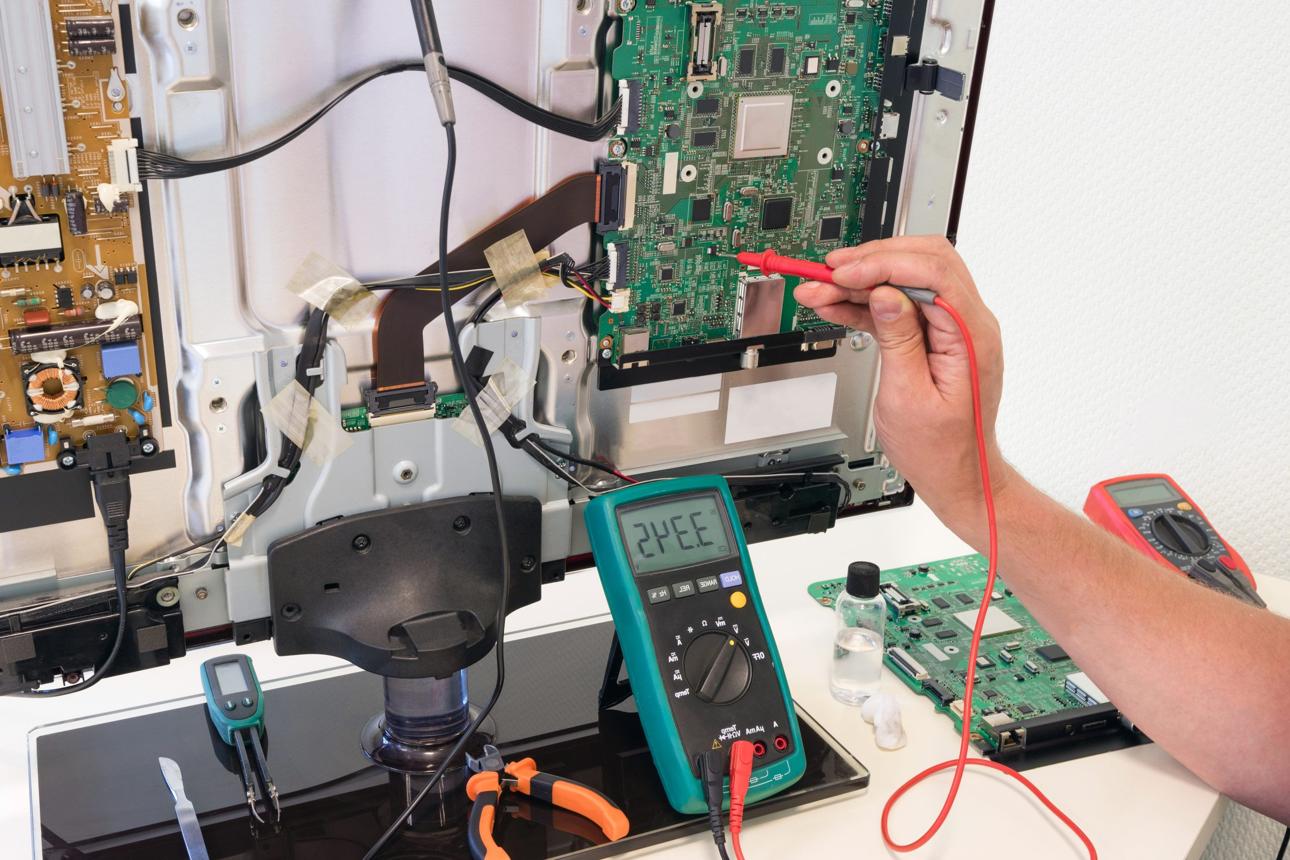
Samsung televisions are designed to support multiple external devices through HDMI connections, including digital TV decoders, laptops, gaming consoles, streaming devices, soundbars, home theatres, and other multimedia equipment. When an HDMI port stops working, a Samsung TV may display “No Signal,” fail to detect a connected device, show intermittent pictures, or experience audio and video connection problems.
At GossTech Kenya Technologies, we provide professional Samsung TV HDMI port repair, HDMI connection troubleshooting, HDMI socket replacement, motherboard repair, and television connectivity diagnostics in Nairobi and Across Kenya.
Whether your Samsung TV HDMI port has become loose, damaged, stopped detecting devices, or suddenly stopped working, our technicians can diagnose the fault and recommend the appropriate repair solution.
Professional Samsung TV HDMI Repair Services in Nairobi
Samsung TV HDMI problems can originate from several different components. Sometimes the problem is caused by a damaged HDMI socket, while in other cases the fault may involve the television’s motherboard, HDMI signal processing circuitry, software, connected device, or cable.
Our Samsung TV repair services cover different HDMI-related problems, including:
Samsung TV HDMI port not working
HDMI no signal problems
HDMI port physically damaged
Loose HDMI connection
Decoder not displaying on Samsung TV
Laptop not connecting to Samsung television
PlayStation or Xbox HDMI connection problems
Samsung TV detecting HDMI intermittently
HDMI picture disappearing unexpectedly
HDMI audio problems
HDMI ports damaged by repeated plugging and unplugging
Samsung TV HDMI input not appearing
HDMI connection causing television restart
Multiple HDMI ports failing simultaneously
HDMI motherboard circuit repair
Our goal is to identify the actual cause of the HDMI problem rather than replacing components unnecessarily.
Samsung TV Showing HDMI No Signal
One of the most common Samsung television problems is the HDMI No Signal message.
You may connect your decoder, laptop, gaming console, or another device, but the TV continues displaying a message indicating that no signal is available.
This problem may occur even when the connected device is switched on.
Possible causes
Faulty HDMI cable
Damaged HDMI socket
Incorrect HDMI input selection
Faulty decoder or external device
HDMI signal processing fault
Damaged motherboard
Software-related HDMI detection problem
HDMI circuitry damaged by electrical surges
Before replacing the HDMI port, a technician should test the cable, external device, HDMI inputs, and signal circuitry.
Samsung TV HDMI Port Not Working
An HDMI port may stop functioning completely even though other television functions continue operating normally.
For example, your Samsung TV may still display television channels through another source, work with USB devices, and connect to Wi-Fi, but one particular HDMI input may not detect any connected device.
This can indicate a problem affecting the individual HDMI port or its associated circuitry.
Signs of a faulty HDMI port
The HDMI connection works only when the cable is positioned at a certain angle.
The television detects the device intermittently.
The HDMI cable feels loose inside the socket.
The port has visible physical damage.
One HDMI input works while another does not.
The TV displays No Signal regardless of the connected device.
The HDMI connection disconnects when the cable is moved.
Depending on the fault, repair may involve HDMI socket replacement, motherboard-level repair, or restoration of damaged connections.
Samsung TV HDMI Port Physical Damage
HDMI sockets are frequently damaged through careless cable handling, repeated connection and disconnection, or inserting cables at an incorrect angle.
The HDMI port contains small internal contacts that transfer digital audio and video signals. When these contacts become damaged, the television may fail to communicate properly with the connected device.
Common HDMI socket damage
Bent internal HDMI pins
Broken HDMI socket housing
Loose HDMI port
HDMI port detached from the motherboard
Damaged solder joints
Port pushed inward
HDMI socket corrosion
Physical damage caused by forcing a cable into the port
A physically damaged HDMI socket may require replacement. However, if the damage extends to the motherboard circuit board, additional repair may be necessary.
Samsung TV HDMI Port Replacement in Nairobi
When an HDMI socket is physically damaged beyond repair, replacement may be the most appropriate solution.
At GossTech Kenya Technologies, HDMI port replacement involves carefully removing the damaged socket and installing a compatible replacement component.
The repair process generally involves:
Inspecting the television and identifying the damaged HDMI port.
Testing the HDMI inputs to establish the extent of the fault.
Opening the television safely.
Locating the HDMI connector on the motherboard.
Removing the defective socket using appropriate soldering equipment.
Cleaning the motherboard connection points.
Installing a compatible HDMI socket.
Checking the solder joints and surrounding circuitry.
Testing the repaired port using different HDMI devices.
Confirming stable audio and video transmission.
The quality of the repair depends on the extent of the damage, the television model, and whether the motherboard has additional faults.
Samsung TV HDMI Ports Not Detecting a Decoder
Many Samsung TV owners experience HDMI problems when connecting digital TV decoders.
The decoder may be powered on, and the HDMI cable may be properly connected, but the television displays a blank screen or No Signal.
This may happen with decoders from different providers or other digital television devices.
Possible decoder connection problems
Decoder HDMI output failure
HDMI cable failure
Incorrect TV input selection
Decoder resolution incompatible with the television
HDMI port damage
TV motherboard HDMI circuit failure
Decoder software problems
Troubleshooting steps
Before booking a repair, try the following:
Switch off both the television and decoder.
Disconnect the HDMI cable from both devices.
Reconnect the cable firmly.
Switch the decoder and television back on.
Select the correct HDMI source.
Test another HDMI cable.
Test the decoder on another television if possible.
Try another HDMI port on the Samsung TV.
If the decoder works on another television but fails on your Samsung TV, the television may require professional diagnosis.
Samsung TV HDMI Connection Problems With Laptops
Connecting a laptop to a Samsung Smart TV through HDMI should normally allow the television to display the laptop’s screen.
However, connection problems may occur when the TV fails to detect the laptop.
Symptoms
Laptop connected but Samsung TV displays No Signal.
Laptop screen works while TV remains blank.
Television detects the laptop but displays a black screen.
Picture appears and disappears.
Audio plays through the laptop instead of the TV.
HDMI connection works intermittently.
Laptop display resolution is unsupported.
Samsung TV fails to recognize the laptop after restarting.
Some laptop connection problems are caused by display settings rather than a television hardware fault.
For Windows computers, you can try pressing Windows + P and selecting Duplicate or Extend.
You can also check the laptop’s display settings and reduce the resolution or refresh rate if the television is unable to display the selected output.
If multiple laptops and HDMI cables fail to connect to the same Samsung TV, the television’s HDMI circuitry may require inspection.
Samsung TV HDMI Port Repair for PlayStation and Xbox
Gaming consoles require stable HDMI communication to transmit high-resolution video and audio.
A faulty HDMI connection can prevent a PlayStation or Xbox from displaying anything on the television.
Common gaming HDMI problems
Console powers on but TV displays No Signal.
Gaming picture disappears during gameplay.
HDMI connection works intermittently.
Screen flickers when playing games.
TV detects the console but displays a black screen.
HDMI port becomes loose.
Console picture appears only when the cable is moved.
HDMI connection fails after an electrical surge.
These problems can originate from the gaming console, HDMI cable, television, or the HDMI signal circuitry.
If the console works correctly on another television, but your Samsung TV cannot detect it through multiple HDMI cables, the television may need HDMI port or motherboard repair.
Samsung TV HDMI Audio Problems
HDMI carries both video and audio signals. Consequently, HDMI faults may affect sound, picture, or both.
Some Samsung televisions may display a picture through HDMI but produce no sound.
Possible causes
Incorrect audio output settings
Connected device audio settings
HDMI cable problem
Soundbar compatibility issue
HDMI signal processing fault
TV motherboard problem
External device software problem
Before diagnosing hardware, check the television’s sound settings and the connected device’s audio output configuration.
If the problem persists with multiple external devices and cables, professional diagnosis may be necessary.
Samsung TV HDMI Port Works Intermittently
An intermittent HDMI problem can be particularly frustrating because the connection may work normally for some time before failing.
You may notice that:
The picture disappears randomly.
The HDMI device disconnects and reconnects.
The TV displays No Signal temporarily.
The connection works after restarting the TV.
The HDMI cable must be moved to restore the picture.
The problem becomes worse when the television is warm.
Intermittent HDMI faults may be associated with loose connections, cracked solder joints, damaged sockets, faulty signal components, or motherboard problems.
Moving the HDMI cable repeatedly to restore the picture may worsen physical damage to the port.
Samsung TV HDMI 1, HDMI 2 or HDMI 3 Not Working
Samsung televisions may have several HDMI inputs. A fault affecting one input does not necessarily mean every HDMI port is defective.
For example:
HDMI 1 may work normally.
HDMI 2 may display No Signal.
HDMI 3 may work intermittently.
This may indicate an individual port problem rather than a complete HDMI system failure.
Why one HDMI port may fail
Physical damage to that socket
Broken internal connections
Damaged solder joints
Faulty HDMI signal components
Electrical surge damage
Motherboard circuit damage
Testing each HDMI input using the same known-working device and cable helps determine which port is affected.
Samsung TV All HDMI Ports Not Working
When every HDMI port stops working, the problem may involve a shared circuit rather than individual sockets.
Possible causes include:
Mainboard failure
HDMI signal processing circuitry
Electrical surge damage
HDMI protection components
Software malfunction
Firmware problems
Faulty connected equipment
If all HDMI ports fail simultaneously, replacing every HDMI socket may not solve the problem.
A professional technician should inspect the motherboard and relevant HDMI circuitry.
Samsung TV HDMI Problems After a Power Surge
Electrical surges can damage HDMI circuitry in televisions and connected devices.
A surge may enter through the power supply or connected equipment and damage sensitive electronic components.
After a surge, your Samsung TV may:
Stop detecting HDMI devices.
Lose one or more HDMI inputs.
Display No Signal.
Restart when an HDMI device is connected.
Lose picture but retain sound.
Fail to recognize previously working devices.
Surge-related damage may involve HDMI protection components, signal processing circuits, or the mainboard.
Proper diagnosis is important because the visible HDMI socket may appear completely normal even when the electronic circuitry behind it has been damaged.
Samsung TV HDMI Input Missing From the Source Menu
Sometimes the problem is not simply that the HDMI port displays No Signal. The HDMI input itself may not appear correctly in the television’s source menu.
This may be caused by:
Connected device not being detected
HDMI connection problem
Device identification communication failure
TV software issue
HDMI socket damage
Motherboard fault
Try disconnecting the external device, restarting the TV, reconnecting the HDMI cable, and selecting the appropriate source.
If the input remains unavailable or the TV cannot detect several different devices, the HDMI detection system may need diagnosis.
How We Diagnose Samsung TV HDMI Problems
At GossTech Kenya Technologies, diagnosing HDMI problems involves more than simply replacing a socket.
Our technicians assess the television to identify whether the problem is caused by the HDMI cable, external device, socket, motherboard, software, or signal circuitry.
Our diagnostic process
1. Initial assessment
We establish when the HDMI problem started and whether it affects one port or every HDMI input.
2. Cable testing
We test the HDMI connection using compatible, known-working cables.
3. External device testing
Where possible, we test the television using different HDMI devices.
4. HDMI port inspection
We inspect the HDMI socket for physical damage, bent pins, loose connections, or corrosion.
5. Motherboard diagnosis
If the sockets appear normal, we investigate the HDMI signal circuitry and relevant motherboard components.
6. Repair recommendation
After identifying the fault, we recommend the most appropriate repair, which may involve socket replacement, circuit repair, or motherboard repair.
7. Final testing
The repaired television is tested to confirm stable HDMI connectivity and proper audio and video output.
Samsung TV HDMI Repair or Motherboard Replacement?
Not every HDMI problem requires replacing the entire motherboard.
Depending on the fault, repairs may involve:
HDMI socket replacement
Repairing broken solder connections
Repairing damaged motherboard tracks
Replacing HDMI protection components
Repairing signal processing circuits
Software troubleshooting
Mainboard replacement where necessary
The appropriate repair depends on the television model and the extent of the damage.
Where motherboard-level repair is practical, it may be possible to restore HDMI functionality without replacing the entire board.
Samsung TV HDMI Repair for Different Samsung Models
GossTech Kenya Technologies provides HDMI troubleshooting and repair services for different Samsung television types, including:
Samsung LED TVs
Samsung LCD TVs
Samsung Smart TVs
Samsung Crystal UHD TVs
Samsung 4K TVs
Samsung QLED TVs
Samsung Neo QLED TVs
Samsung OLED TVs
Samsung Frame TVs
Samsung curved televisions
The HDMI connection system and motherboard design may differ depending on the television model, screen size, and manufacturing year.
Our technicians assess the specific model before recommending a repair.
Samsung TV HDMI Repair Cost in Nairobi
The cost of Samsung TV HDMI repair depends on the actual fault.
A simple HDMI socket replacement may cost less than repairing a damaged motherboard or replacing an HDMI signal processing component.
Factors affecting the repair cost include:
Samsung TV model
Screen size
Number of faulty HDMI ports
Physical condition of the HDMI socket
Extent of motherboard damage
Availability of compatible replacement parts
Whether motherboard-level repair is possible
Whether the motherboard requires replacement
At GossTech Kenya Technologies, we diagnose the fault before recommending the repair so that customers understand what needs to be repaired.
Can a Samsung TV HDMI Port Be Repaired?
Yes. Many Samsung TV HDMI port problems can be repaired.
If the socket is physically damaged, it may be possible to replace the HDMI connector.
If the problem involves damaged solder joints, motherboard tracks, or HDMI signal components, circuit-level repair may be necessary.
However, not every HDMI problem is repairable through socket replacement alone. The television must first be diagnosed to establish the actual fault.
What Causes Samsung TV HDMI Ports to Stop Working?
Common causes include:
Physical damage from HDMI cables
Repeated plugging and unplugging
Forcing HDMI connectors into sockets
Loose HDMI port connections
Electrical surges
Faulty external devices
Damaged HDMI cables
Motherboard failure
Corrosion or contamination
Faulty HDMI signal components
Software and firmware problems
Proper diagnosis can help prevent unnecessary replacement of expensive components.
What Should You Do When Your Samsung TV HDMI Port Stops Working?
Before contacting a technician, you can perform a few basic checks.
1. Check the HDMI cable
Try another HDMI cable to determine whether the cable is defective.
2. Select the correct source
Ensure that the television is set to the HDMI input connected to your device.
3. Restart your devices
Switch off the TV and the connected device. Disconnect them from power briefly before restarting.
4. Test another HDMI port
If your Samsung TV has multiple HDMI inputs, try another port.
5. Test another device
Connect another device, such as a laptop, decoder, or gaming console.
6. Avoid forcing the cable
If the HDMI socket is loose or damaged, do not force the cable into it.
7. Seek professional diagnosis
If the problem persists, the television may require HDMI socket replacement or motherboard repair.
Samsung TV HDMI Repair Services in Nairobi and Across Kenya
GossTech Kenya Technologies provides Samsung TV HDMI repair and television connectivity troubleshooting services in Nairobi and surrounding areas.
We serve customers in:
Westlands
Parklands
Kilimani
Kileleshwa
Lavington
Karen
Langata
Runda
Muthaiga
Ridgeways
Kiambu Road
Kasarani
Roysambu
Embakasi
Donholm
South B
South C
Ruaka
Kiambu
Ruiru
Thika
Athi River
Kitengela
We also provide television repair services in other towns and counties across Kenya.
Whether your Samsung television is experiencing HDMI No Signal, a damaged HDMI port, a loose connection, or motherboard-related HDMI failure, we can help you identify the problem and arrange the appropriate repair.
Why Choose GossTech Kenya Technologies?
When your Samsung television develops HDMI problems, choosing an experienced television repair technician is important.
At GossTech Kenya Technologies, we provide:
Professional Samsung TV troubleshooting
HDMI port replacement
Motherboard repair
HDMI signal circuit diagnosis
Repair of HDMI connection problems
Television repair for different Samsung models
Diagnosis before recommending replacement parts
TV repair services in Nairobi and Across Kenya
Experienced television technicians
Repair solutions for different television brands and models
We aim to provide practical and reliable repair solutions that restore your television’s functionality.
Frequently Asked Questions About Samsung TV HDMI Repair
Why is my Samsung TV showing HDMI No Signal?
The problem may be caused by a faulty HDMI cable, incorrect source selection, a defective external device, a damaged HDMI socket, or motherboard circuitry failure.
Why does one HDMI port work while another does not?
Individual HDMI ports may have separate socket connections or circuitry. A damaged socket or faulty circuit affecting one input can cause that port to fail while others continue working.
Can you replace a damaged Samsung TV HDMI port?
Yes. A physically damaged HDMI socket can often be replaced, provided the motherboard damage is manageable and a compatible replacement connector is available.
Why does my Samsung TV HDMI connection keep disconnecting?
Intermittent disconnection may result from a loose HDMI socket, damaged cable, cracked solder joints, faulty HDMI circuitry, or problems with the connected device.
Can a power surge damage Samsung TV HDMI ports?
Yes. Electrical surges can damage HDMI protection components, signal circuitry, or the television’s motherboard.
My Samsung TV has sound but no picture through HDMI. What is the problem?
The issue may involve the connected device, HDMI cable, television settings, signal processing circuitry, or display-related components. Proper diagnosis is necessary to identify the cause.
Can HDMI problems be repaired without replacing the motherboard?
Yes. Some HDMI problems can be repaired by replacing the socket, repairing solder joints, replacing damaged components, or restoring motherboard connections.
Do you repair Samsung Smart TVs with HDMI problems?
Yes. We repair HDMI connectivity problems across different Samsung television models, including Samsung Smart TVs, LED TVs, QLED TVs, UHD TVs, OLED TVs, and other Samsung television types.
Do you offer Samsung TV HDMI repair outside Nairobi?
Yes. GossTech Kenya Technologies provides television repair services in Nairobi and Across Kenya, depending on the location and repair requirements.
Contact GossTech Kenya Technologies
If your Samsung TV HDMI port is not working, displays No Signal, has a loose connection, or cannot detect your decoder, laptop, PlayStation, Xbox, or other external device, contact GossTech Kenya Technologies for professional diagnosis and repair.
GossTech Kenya Technologies
📞 Phone: 0723613664
✉️ Email: info@gosstech.co.ke
Samsung TV HDMI Port Repair | HDMI No Signal Repair | Samsung TV Motherboard Repair | HDMI Socket Replacement
We repair Samsung TVs in Nairobi and Across Kenya.
Description
Samsung TV HDMI port repair in Nairobi. We fix HDMI No Signal, damaged HDMI sockets, decoder connection problems, laptop, PlayStation and Xbox HDMI issues in Nairobi and Across Kenya. Call GossTech Kenya Technologies on 0723613664.