
Samsung TV Motherboard Repair in Nairobi – Main Board Faults, Replacement and Troubleshooting
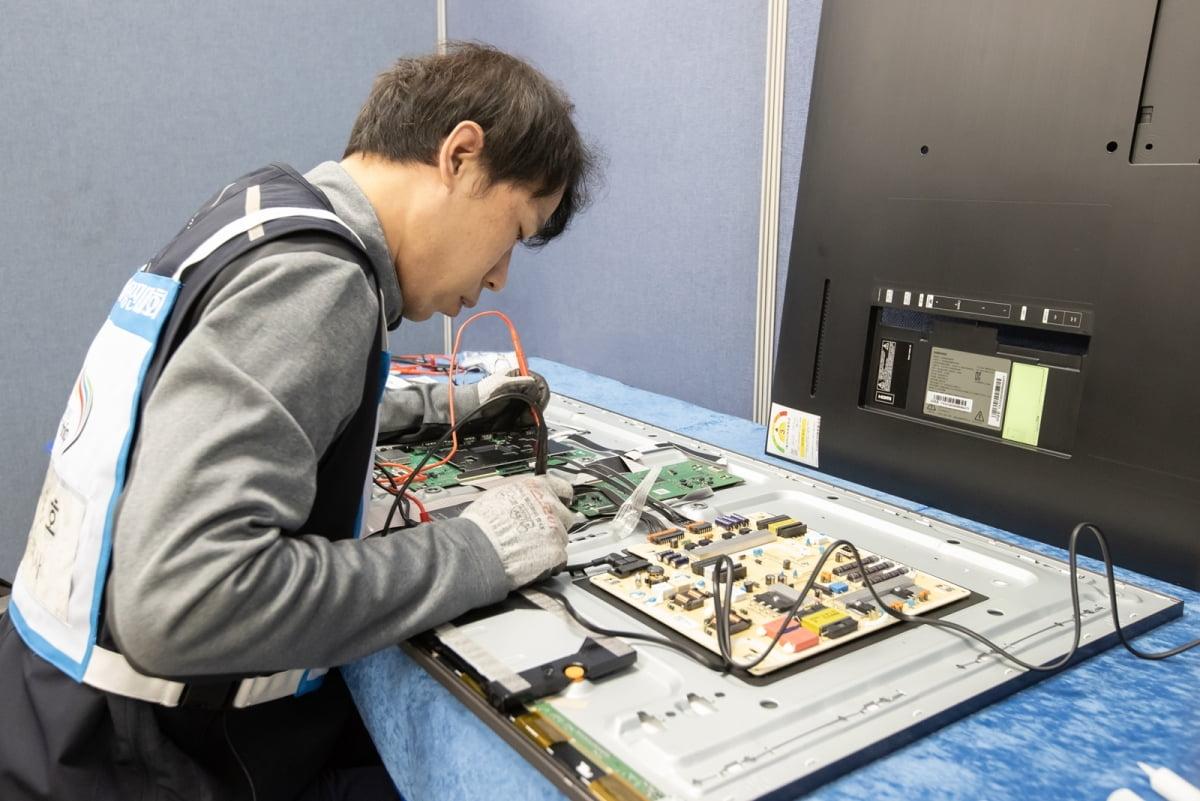
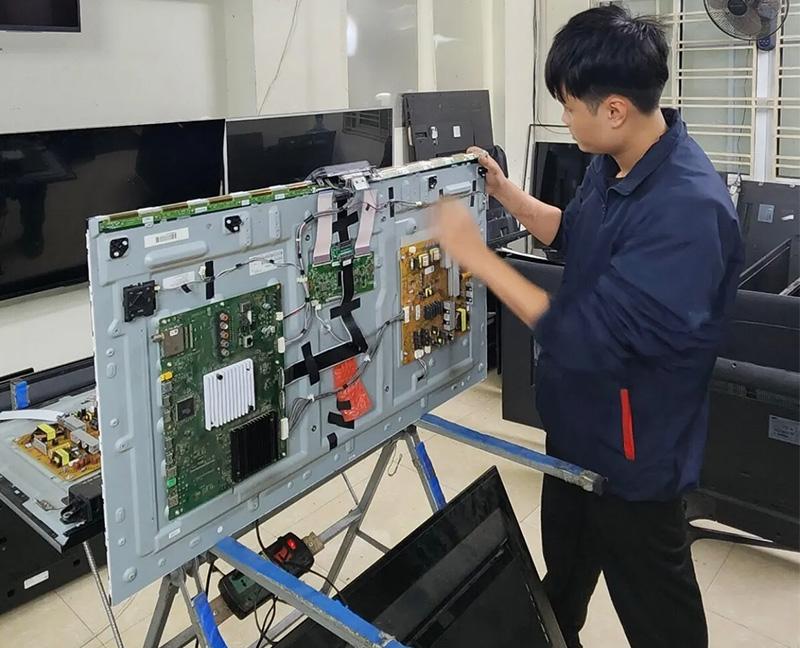
This article targets customers searching for Samsung TV motherboard repair, Samsung TV main board replacement, Samsung TV stuck on logo, Samsung TV restarting, Samsung TV HDMI problems, Samsung Smart TV motherboard faults, and Samsung TV no sound.
It will focus on motherboard-related faults and diagnosis, with a different article structure from the previous topics.
Samsung TV Motherboard Repair in Nairobi
The motherboard is one of the most important components in a Samsung television. It controls many of the television’s functions, including startup, picture processing, sound, HDMI inputs, Smart TV features, network connectivity, and communication between internal components.
When a Samsung TV motherboard develops a fault, the television may stop working normally. It may fail to turn on, freeze during startup, remain stuck on the Samsung logo, restart repeatedly, lose sound, fail to connect to Wi-Fi, or stop detecting connected devices.
At GossTech Kenya Technologies, we provide Samsung TV motherboard diagnosis, component-level repair, and main board replacement services for different Samsung television models.
If your Samsung TV is experiencing startup problems, freezing, HDMI faults, sound problems, or other motherboard-related symptoms, we can help diagnose the fault and recommend an appropriate repair.
Our services are available in Nairobi and Across Kenya.
What Does a Samsung TV Motherboard Do?
The motherboard, also called the main board, is responsible for controlling and coordinating many television functions.
Depending on the Samsung TV model, the motherboard manages:
Television startup and operation
Video signal processing
Audio processing
HDMI inputs
USB ports
Smart TV applications
Wi-Fi and network connectivity
Bluetooth connectivity where supported
Communication with other internal boards
Remote control signal processing
Software and firmware operation
Because the motherboard controls many functions, a fault on this board may cause several different symptoms.
A Samsung TV motherboard problem does not always mean that the entire board must be replaced. In some cases, component-level repair may be possible.
Common Samsung TV Motherboard Problems
1. Samsung TV Stuck on Samsung Logo
One of the common Samsung Smart TV motherboard-related problems is a television that gets stuck on the Samsung logo during startup.
The television may:
Display the Samsung logo continuously.
Fail to reach the home screen.
Restart repeatedly.
Freeze during startup.
Remain unresponsive to the remote control.
Possible causes include:
Mainboard faults
Software or firmware problems
Corrupted startup data
Power supply instability
Internal component failure
Proper diagnosis is important because a TV stuck on the logo is not necessarily caused by a defective motherboard alone.
2. Samsung TV Keeps Restarting
A Samsung television may repeatedly restart without completing its startup process.
You may observe:
Samsung logo appearing repeatedly.
Television switching off and back on.
The TV restarting after a few seconds.
Restarting during normal viewing.
Standby light changing repeatedly.
Possible causes include motherboard faults, power supply problems, defective backlight circuits, software issues, or other internal component failures.
3. Samsung TV Not Turning On
A defective motherboard may prevent the television from starting.
The TV may have:
Standby light but no startup
No response to the remote control
A black screen
Repeated clicking or restarting
Startup failure
However, a television that does not turn on may also have a power supply fault. Diagnosis is necessary to distinguish between motherboard and power-related problems.
Samsung TV Main Board Faults and Their Symptoms
4. Samsung TV Has No Sound
A Samsung TV may display a picture normally but produce no sound.
Possible motherboard-related causes include:
Audio processing circuit faults
Damaged audio components
Software-related problems
Internal communication faults
Other possible causes include speaker failure, incorrect audio settings, external audio devices, or sound output configuration.
5. Samsung TV HDMI Ports Not Working
HDMI ports allow Samsung TVs to connect to devices such as:
Decoders
Gaming consoles
Laptops
Streaming devices
Home theatre systems
When the HDMI system develops a fault, the television may fail to detect connected devices or display a message indicating no signal.
Possible causes include:
Damaged HDMI ports
HDMI circuit faults
Mainboard problems
Damaged HDMI cables
External device faults
Incorrect input selection
If multiple HDMI ports stop working, the motherboard’s HDMI circuitry may require inspection.
6. Samsung Smart TV Wi-Fi Not Working
Samsung Smart TVs rely on network connectivity for online applications and streaming services.
A motherboard or network-related fault may cause:
Wi-Fi not detecting available networks
Wi-Fi disconnecting repeatedly
Network settings malfunctioning
Smart TV applications failing to connect
Network connection becoming unstable
However, Wi-Fi problems can also be caused by router settings, weak signal, software problems, or a defective Wi-Fi module depending on the TV design.
7. Samsung TV Freezing During Operation
Your Samsung television may freeze while watching TV, opening applications, or navigating menus.
The screen may stop responding while the sound continues, or the entire television may become unresponsive.
Possible causes include:
Mainboard faults
Software problems
Memory-related issues
Overheating
Power instability
A television that freezes repeatedly should be diagnosed to establish whether the fault is software-related or hardware-related.
8. Samsung TV USB Ports Not Working
Samsung televisions may fail to recognise USB flash drives, external storage devices, or other USB equipment.
Possible causes include:
Defective USB port
Mainboard circuit fault
Software problem
Incorrect USB format
External device incompatibility
If the USB ports have physical damage, port repair may be required.
9. Samsung TV Remote Control Not Responding
A television may fail to respond to the remote control despite the remote appearing to function normally.
Possible causes include:
Remote control failure
Infrared receiver problems
Bluetooth-related faults on supported models
Mainboard communication problems
Software glitches
Testing with another compatible remote can help determine whether the issue originates from the television or remote control.
10. Samsung TV Picture Distortion
Motherboard-related video processing faults may cause:
Distorted images
Pixelation
Unusual colours
Picture freezing
Video signal problems
However, display faults may also originate from the LCD panel, display control circuitry, backlight system, or external signal source.
Samsung TV Motherboard Repair or Replacement?
When a Samsung television develops a motherboard fault, there are generally two possible repair approaches: component-level repair or complete motherboard replacement.
The appropriate solution depends on the type and severity of the fault.
Component-Level Motherboard Repair
Component-level repair involves identifying and repairing defective electronic components on the main board rather than replacing the entire board.
Depending on the fault, repair may involve:
Replacing defective electronic components
Repairing damaged circuit connections
Addressing power-related circuit faults
Repairing certain port-related faults
Investigating communication circuit problems
Component-level repair may be suitable where the fault can be reliably identified and repaired.
Samsung TV Motherboard Replacement
Sometimes the motherboard is too severely damaged, or repair is not practical.
In such situations, replacing the main board may be recommended.
A replacement motherboard must be compatible with the Samsung television model and board specifications. Some replacement boards may also require configuration, software, or panel-specific compatibility checks.
We assess the television before recommending motherboard replacement.
Samsung TV Motherboard Diagnosis at GossTech Kenya Technologies
Our diagnosis process is designed to identify the actual cause of the television problem.
1. Symptom Assessment
We establish what the television is doing.
For example:
Is the TV completely dead?
Does the Samsung logo appear?
Does the television restart?
Is there sound?
Does the picture appear?
Are HDMI ports working?
Is Wi-Fi functioning?
2. Internal Inspection
Where necessary, the television is opened and its internal boards and connections are inspected.
We check for signs of damage, loose connections, burnt components, and other abnormalities.
3. Circuit Testing
Depending on the fault, relevant motherboard circuits and associated components are tested.
This helps distinguish motherboard faults from power supply, backlight, display, or external device problems.
4. Repair Recommendation
After diagnosis, we recommend the most appropriate solution.
This may involve motherboard repair, replacement, software troubleshooting, or repair of another component.
5. Post-Repair Testing
The television is tested to verify the functions affected by the original fault.
Testing may include startup, picture, sound, HDMI inputs, network connectivity, and general television operation, depending on the repair carried out.
Samsung TV Motherboard Repair for Different Screen Sizes
We diagnose motherboard faults across different Samsung television sizes and model generations.
Samsung 32-Inch TV Motherboard Repair
Common faults include:
TV not starting
Stuck on Samsung logo
No sound
HDMI problems
Freezing
Restarting
Samsung 40-Inch and 43-Inch Samsung TV Main Board Repair
Common problems include:
Startup failure
Smart TV malfunction
HDMI input problems
No sound
Wi-Fi connectivity issues
Random restarting
Samsung 50-Inch and 55-Inch TV Motherboard Repair
These models may experience:
Mainboard failure
TV stuck on logo
Software-related startup problems
HDMI circuit faults
Audio problems
Black screen
Samsung 60-Inch, 65-Inch and Larger TV Motherboard Repair
Large-screen Samsung televisions may experience motherboard-related faults affecting startup, display processing, Smart TV operation, sound, and connectivity.
We diagnose the specific model and fault before recommending a repair.
Samsung TV Motherboard Repair in Nairobi and Across Kenya
GossTech Kenya Technologies provides Samsung TV motherboard repair and diagnosis services in Nairobi and surrounding areas.
We serve customers in:
Nairobi CBD
Westlands
Parklands
Kilimani
Kileleshwa
Lavington
Karen
Langata
South B
South C
Embakasi
Kasarani
Roysambu
Ruiru
Ruaka
Kiambu
Thika
Athi River
Kitengela
Ngong
We also serve customers Across Kenya, including Mombasa, Kisumu, Nakuru, Eldoret, Nyeri, Meru, Machakos, Kisii, Kakamega, Nanyuki, Bungoma, and other towns.
Frequently Asked Questions About Samsung TV Motherboard Repair
How do I know if my Samsung TV motherboard is faulty?
Symptoms may include startup failure, repeated restarting, freezing, being stuck on the Samsung logo, HDMI problems, sound issues, or certain Smart TV functions failing. However, these symptoms can also result from other faults.
Can a Samsung TV motherboard be repaired?
Yes. Some motherboard faults can be repaired at component level. Other cases may require motherboard replacement.
My Samsung TV is stuck on the logo. Is the motherboard faulty?
It may be a motherboard or software-related problem, but power supply faults and other issues can also cause startup failure.
My Samsung TV keeps restarting. What could be wrong?
Possible causes include motherboard faults, unstable power, backlight problems, software issues, or other internal component failures.
Do I need to replace the entire motherboard?
Not always. Depending on the fault, component-level repair may be possible. A technician should diagnose the board before recommending replacement.
Can motherboard replacement solve HDMI problems?
If the HDMI problem originates from defective motherboard circuitry, repair or replacement may resolve it. However, damaged HDMI ports, cables, or external devices may also cause HDMI problems.
Do you repair Samsung TVs outside Nairobi?
Yes. GossTech Kenya Technologies serves customers in Nairobi and Across Kenya.
Contact GossTech Kenya Technologies
If your Samsung TV is stuck on the logo, keeps restarting, has no sound, HDMI problems, Wi-Fi issues, freezing problems, or suspected motherboard failure, contact us for professional diagnosis.
GossTech Kenya Technologies
📞 Phone: 0723613664
📧 Email: info@gosstech.co.ke
Samsung TV Motherboard Repair | Main Board Replacement | Samsung TV Diagnostics
Serving Nairobi and Across Kenya.
Description: Samsung TV motherboard repair in Nairobi and Across Kenya. We repair Samsung TVs stuck on logo, restarting, freezing, HDMI faults, no sound and main board problems.